



Payment & Security
Your payment information is processed securely. We do not store credit card details nor have access to your credit card information.
Payment & Security
Your payment information is processed securely. We do not store credit card details nor have access to your credit card information.
Description
Brother TN229XL Toner for Compatible Brother Color Laser Printers
Confirm your exact printer model before ordering.
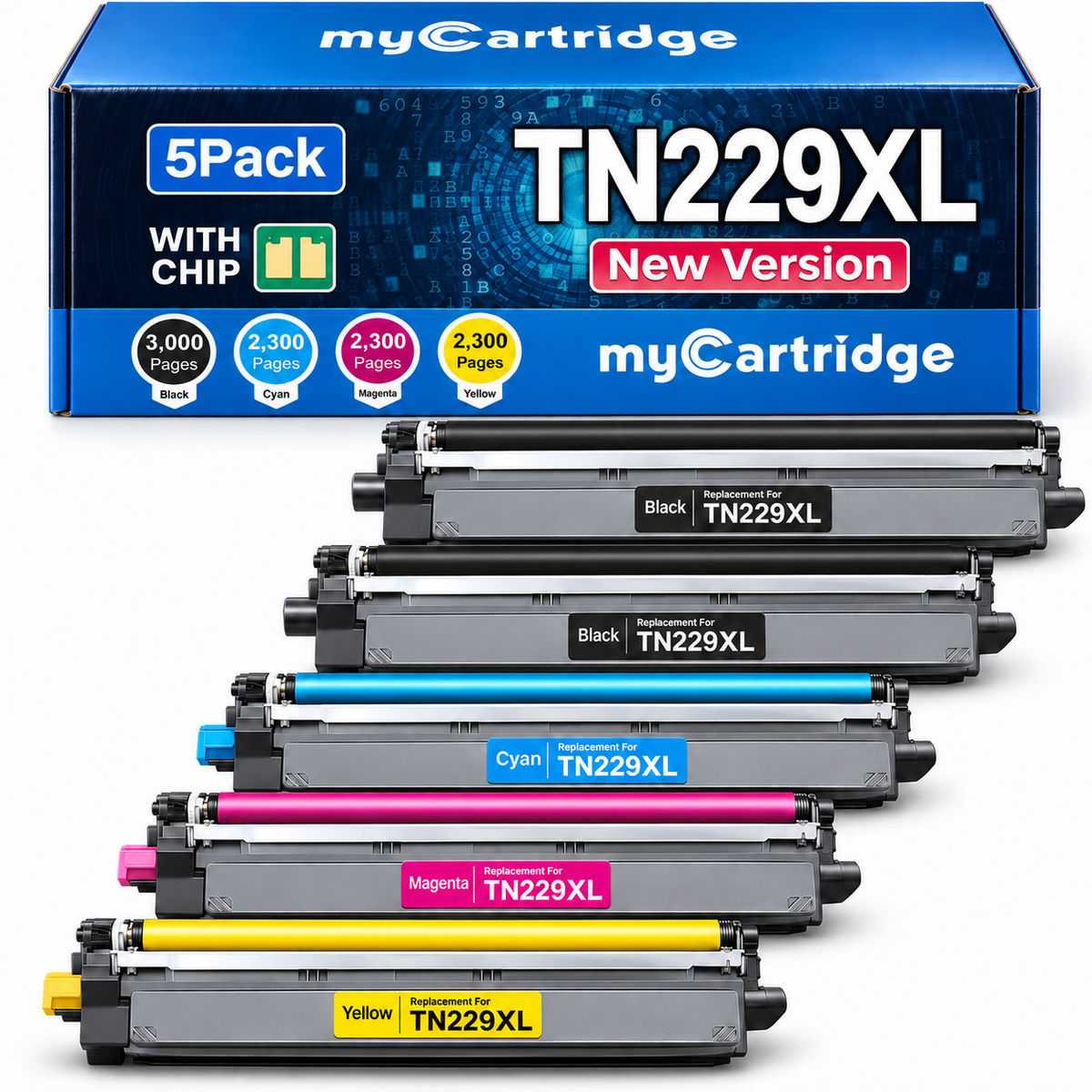
Quick check: This 5-pack includes two TN-229XLBK black cartridges plus TN-229XLC, TN-229XLM, and TN-229XLY high-yield color cartridges, all with integrated smart chips. See the TN229XL printer compatibility guide for details.
Brother TN229XL Toner Cartridges 5-Pack With Chip (2 Black + C/M/Y)
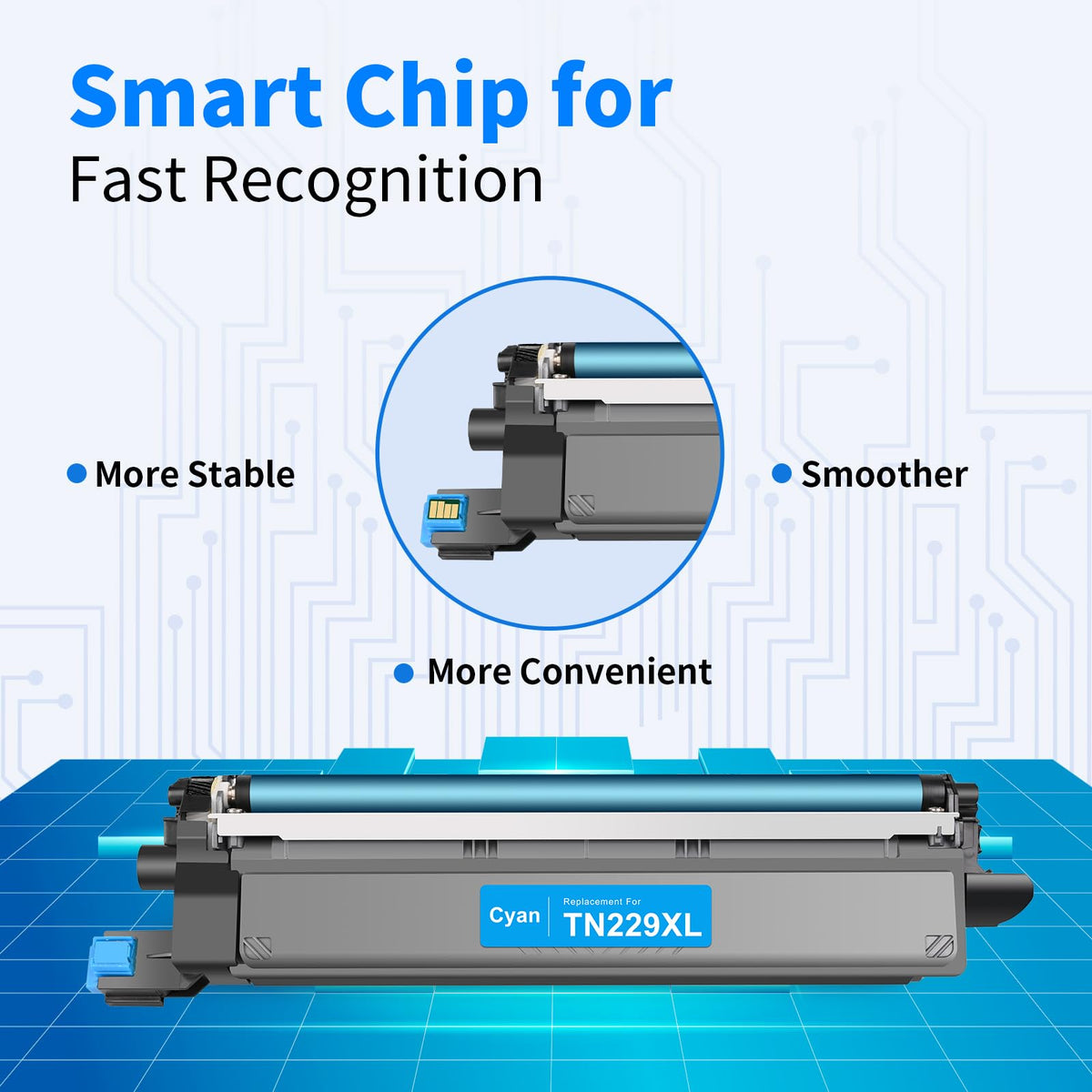
This myCartridge compatible Brother TN229XL high-yield toner 5-pack includes two black cartridges plus one cyan, one magenta, and one yellow cartridge. All five have integrated smart chips for supported printer recognition and toner-status communication, so there is no old-chip transfer required.
Built for supported Brother color laser printers and black-heavy office printing, this set provides a complete high-yield color replacement plus an extra black backup for reports, invoices, contracts, shipping labels, schoolwork, charts, and everyday documents.

Replacing Brother toner should be straightforward. This TN229XL 5-pack also gives black-heavy offices a second black cartridge while addressing chip recognition, toner level, separate drum units, print quality, and after-sales support.
Brother TN229XL 5-Pack buying concerns answered
Common Brother TN229XL 5-Pack Buying Concerns, Solved
Extra black backup: Two TN229XL black cartridges provide up to 6,000 listed black pages combined. Keep the second one ready when black runs out before cyan, magenta, or yellow.
Printer recognition: Integrated chips help compatible Brother printers communicate with each cartridge. Each set goes through pre-shipment compatibility checks.
No chip transfer: There is no need to remove electronics from used Brother toner cartridges or install a separate chip.
Toner-level display: The installed chips are designed to support toner-level and cartridge-status reporting on the listed models.
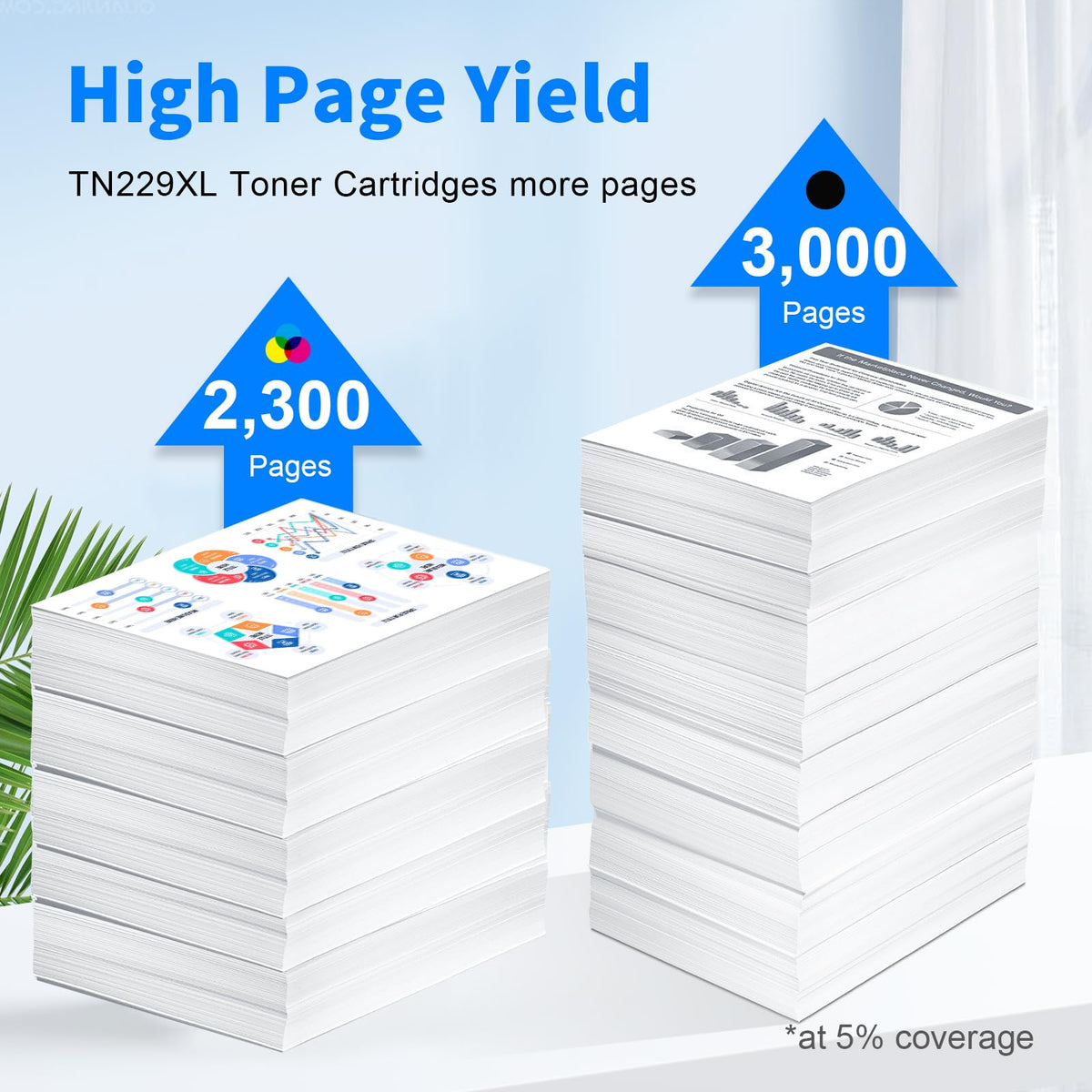
High yield: TN229XL offers more rated pages than standard TN229 while fitting the same supported printer family.
Toner vs. drum: This set contains toner cartridges only. DR229CL drums, WT229CL waste-toner boxes, and BU229CL belt units are separate supplies.
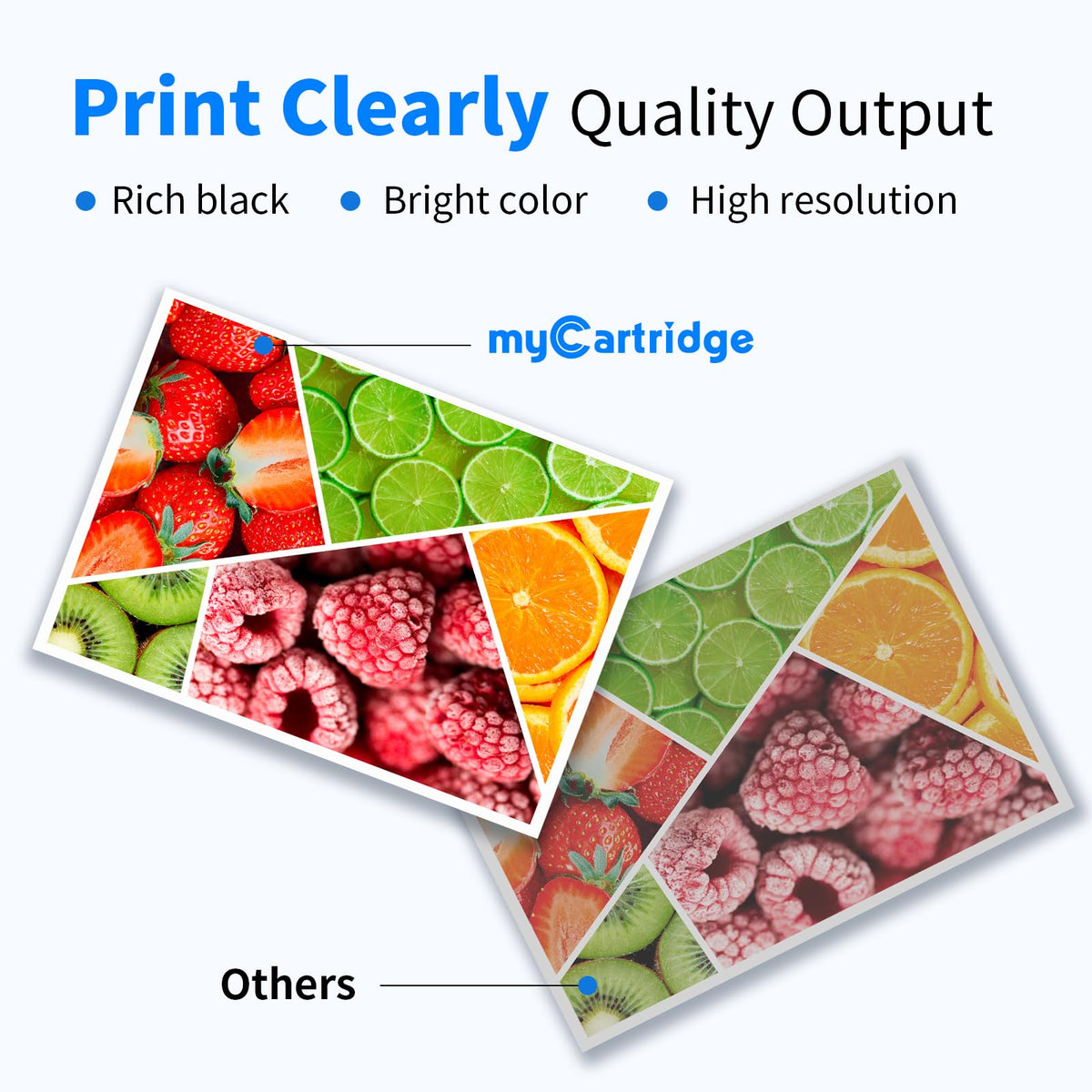
Print quality: Designed for clear text and consistent color output; actual results depend on the printer, drum, paper, and settings.
Firmware and notices: Brother printers may display a compatible-supply notice, and future firmware changes can affect recognition. Our support team can help you troubleshoot.
Direct-purchase support: Orders placed at myCartridge.com receive our stated Lifetime Warranty, 365-Day Returns, and 100% Satisfaction Commitment.
Best for: Brother TN229-compatible printer owners seeking a ready-to-install high-yield five-cartridge set with extra black, easier installation, and direct after-sales support.
myCartridge Brother TN229XL 5-Pack vs. Other Options
Page yield may look similar, but the setup, day-to-day experience, warranty, and support can be very different.
Swipe to compare all options →
| What Matters | myCartridge TN229XL 5-PackReady to Install | Original Brother TN229XL | Other Third-Party Brother TN229XL |
|---|---|---|---|
| 5-Pack Price | $82.50Save $422.78 (84%) vs. Brother OEM | Original Brother 2 BK + C/M/Y: $505.28 (genuine bundles) | Many comparable 5-cartridge smart-chip options cost $120+ |
| Return Policy | 365-Day Returns | 30-day return window for Brother-direct orders | 30-day returns. |
| Warranty | Lifetime Warranty100% Satisfaction Commitment | Limited Warranty | Limited warranty. |
| Smart Chip Included | Yes — pre-installed | Yes — original Brother chip | Most are sold without chips. Some brands may ship either a chip or no-chip version depending on available stock. |
| Chip Transfer | No transfer needed | No transfer needed | Lower-priced chipless alternatives require transferring the old chip yourself—extra steps and a risk of chip damage. Comparable ready-to-install sets commonly cost more. |
| Toner-Level Display | Supported | Supported | Most do not show the toner level correctly. |
| Recognition Check Before Shipping | Yes — checked before shipment | Native OEM recognition | Not offered. |
| Customer Reviews | ★★★★★4.9/5 · 400+ Reviews | Large number of customer reviews | Usually very few customer reviews, so the rating can be hard to judge. |
Which Brother TN229XL toner should you buy?
For Brother color laser printer owners who need all four colors plus an extra black backup, myCartridge is the clear value choice: five pre-installed smart chips, toner-level display support, pre-shipment recognition checks, Lifetime Warranty, and 365-Day Returns. At just $82.50 per set after 25% automatic savings, you pay $422.78 less (84%) than the comparable original Brother two-black plus C/M/Y configuration. That OEM configuration uses the genuine black twin pack and high-yield three-color bundle. Why pay more?
What's in the Box
| Cartridge | Reference Number | Color | Page Yield |
|---|---|---|---|
| 2 × TN229XL Black | TN-229XLBK | Black | Up to 6,000 pages combined (3,000 each) |
| 1 × TN229XL Cyan | TN-229XLC | Cyan | Up to 2,300 pages |
| 1 × TN229XL Magenta | TN-229XLM | Magenta | Up to 2,300 pages |
| 1 × TN229XL Yellow | TN-229XLY | Yellow | Up to 2,300 pages |
Rated yields are based on ISO/IEC 19798 reference testing. Actual yields vary with print coverage, graphics, paper, calibration, printer condition, and settings. The five listed yields add to 12,900 cartridge-pages (2 × 3,000 black + 3 × 2,300 color).
About the Integrated Smart Chips
Each of the five compatible Brother TN229XL cartridges includes a pre-installed smart chip designed to support recognition and toner-status communication on the listed Brother printers.
No chip transfer needed. Install each new toner cartridge into the corresponding DR229CL drum assembly. For a detailed explanation, see our TN229XL Smart Chip & Firmware Guide.
Brother TN229 vs TN229XL: What's the Difference?
Standard-yield Brother TN229 and high-yield TN229XL fit the same supported printer family. TN229XL offers more rated pages and fewer cartridge changes for regular printing.
Read the full Brother TN229 vs TN229XL comparison →
| Feature | Brother TN229 Standard Yield | Brother TN229XL High Yield |
|---|---|---|
| Black Page Yield | Up to 1,500 pages | Up to 3,000 pages |
| Color Yield Each | Up to 1,200 pages | Up to 2,300 pages |
| Compatible Printers | Same TN229 printer family | Same TN229 printer family |
| Best For | Light or occasional printing | Regular home-office and business use |
| Replacement Frequency | More frequent | Less frequent |
Based on rated yields, TN229XL offers 2× black yield and about 1.92× color yield versus standard TN229.
TN229XL Toner vs. DR229CL Drum: What Do You Need?
TN229XL is toner, not a drum unit. The Brother printers listed above use a separate DR229CL drum assembly, plus other maintenance supplies. A toner-low message does not automatically mean you need a new drum.
| Supply | Purpose | Replace When |
|---|---|---|
| TN229XL Toner | Contains black or color toner powder | Printer indicates toner is low or empty |
| DR229CL Drum Unit | Imaging component used with toner | Printer displays a drum-related warning |
| WT229CL Waste Toner Box | Collects excess toner | Printer requests waste-toner replacement |
| BU229CL Belt Unit | Transfers the color image | Printer requests belt-unit replacement |
How to Install Brother TN229XL Toner Cartridges
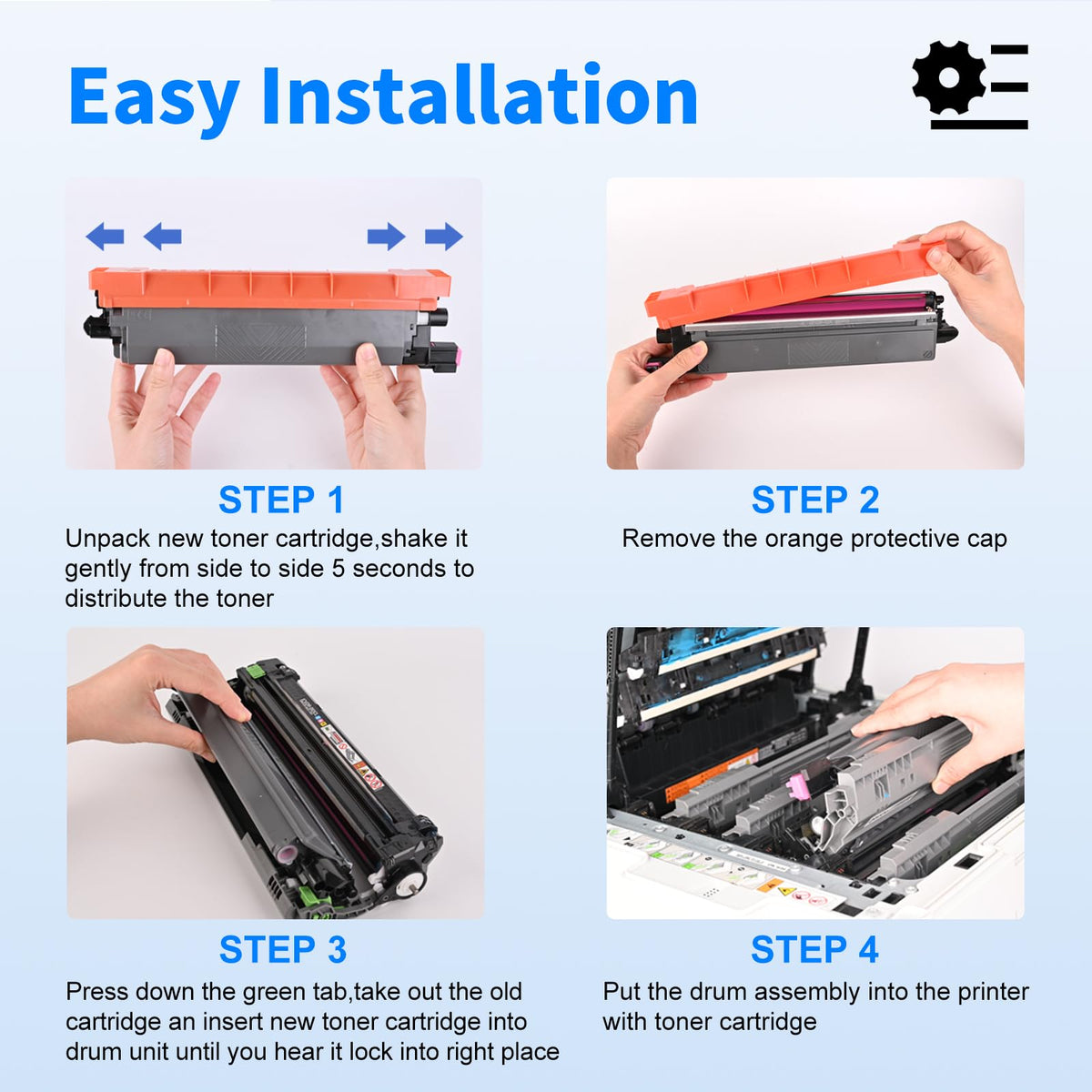
Watch the Brother TN229 installation video and follow the steps for the toner-and-drum assembly.
- Turn on the printer, open the top cover, and remove the matching color toner-and-drum assembly.
- Place the assembly on clean paper. Press the green lock lever to release the used toner cartridge.
- Unpack the new TN229XL, remove all protective materials, and gently rock the cartridge side to side.
- Insert the new toner cartridge into its drum assembly until it locks into place.
- Slide the green corona-wire tab left and right, then return it to the Home position.
- Reinstall the assembly into the correct color slot, close the cover, and print a test page.
How Does myCartridge Brother TN229XL Print?
In internal myCartridge R&D lab testing, this compatible TN229XL set achieved approximately 99.82% print-output similarity compared with OEM output under controlled conditions.
It is designed for sharp office text, legible charts, and clean everyday color documents.
This result is an internal myCartridge laboratory measurement, not Brother certification or endorsement. Actual output depends on the printer, drum condition, paper, calibration, coverage, and environment.
Brother TN229XL Customer Reviews for myCartridge Toner
Rated 4.9 out of 5 based on 400+ customer reviews for myCartridge Brother TN229XL toner products.
Customers often highlight easy installation, clear black text, consistent color output, and the convenience of a full-color set with extra black toner.
- Integrated smart chips eliminate chip-transfer steps.
- The extra black backup suits offices, schools, teams, and black-heavy home printing.
- High-yield TN229XL helps reduce replacement frequency compared with TN229.
Which Brother TN229XL Pack Should You Buy?
Choose the pack that matches your black-versus-color printing habits. For frequent invoices, forms, contracts, and shipping labels, the 5-pack adds the backup black you are likely to need next.
One black plus cyan, magenta, and yellow. Best for complete high-yield color replacement.
Two black cartridges for text-heavy reports, contracts, and shipping labels.
Two black plus cyan, magenta, and yellow when black runs out fastest.
Frequently Asked Questions
Quick answers about TN229XL compatibility, integrated chips, page yields, printer messages, drum units, installation, and warranty support.
Does this TN229XL 5-Pack include all four colors and an extra black?
Yes. It includes two black TN-229XLBK, one cyan TN-229XLC, one magenta TN-229XLM, and one yellow TN-229XLY. All five cartridges have integrated smart chips.
Which printers does this Brother TN229XL toner 5-pack fit?
Supported models include Brother HL-L3220CDW, HL-L3280CDW, HL-L3295CDW, HL-L3300CDW, HL-L8245CDW, MFC-L3720CDW, MFC-L3765CDW, MFC-L3780CDW, and MFC-L8395CDW. Confirm your exact model before ordering.
What toner does the Brother HL-L3280CDW use?
It uses Brother TN229 standard-yield or TN229XL high-yield toner. This product is a high-yield TN229XL five-cartridge set with an extra black.
What toner does the Brother MFC-L3780CDW use?
It uses the Brother TN229 family, including standard TN229 and high-yield TN229XL black, cyan, magenta, and yellow cartridges.
What is the difference between TN229 and TN229XL?
TN229 is standard yield. TN229XL is high yield, with approximately 3,000 black pages and 2,300 pages per color versus 1,500 black and 1,200 per color for standard TN229.
Why does this TN229XL 5-Pack include two black cartridges?
Black text, shipping labels, invoices, and reports often use up black toner before the colors. Two black cartridges give you a complete color set and an extra black backup without a separate order.
How many listed cartridge-pages are in this TN229XL 5-Pack?
Two black cartridges provide up to about 6,000 black pages combined; cyan, magenta, and yellow are rated up to 2,300 pages each. Total listed cartridge-pages are 12,900, not 12,900 full-color sheets.
Do these cartridges include chips, or must I transfer an old chip?
All five cartridges have integrated smart chips. No old-chip transfer or separate chip installation is required.
What does “with chip” mean for Brother TN229XL?
It means each compatible cartridge includes its own chip for supported printer recognition and toner-status communication.
Can Brother firmware updates affect compatible toner?
Firmware changes may affect compatible-cartridge recognition. myCartridge checks current chip versions before shipment. If recognition changes after an update, see our chip and firmware guide or contact support.
What should I do if my Brother printer does not recognize the toner?
Confirm compatibility, remove protective materials, lock the toner into its DR229CL drum assembly, reinstall it in the correct color position, close the cover, and restart once. Use our recognition troubleshooting guide if needed.
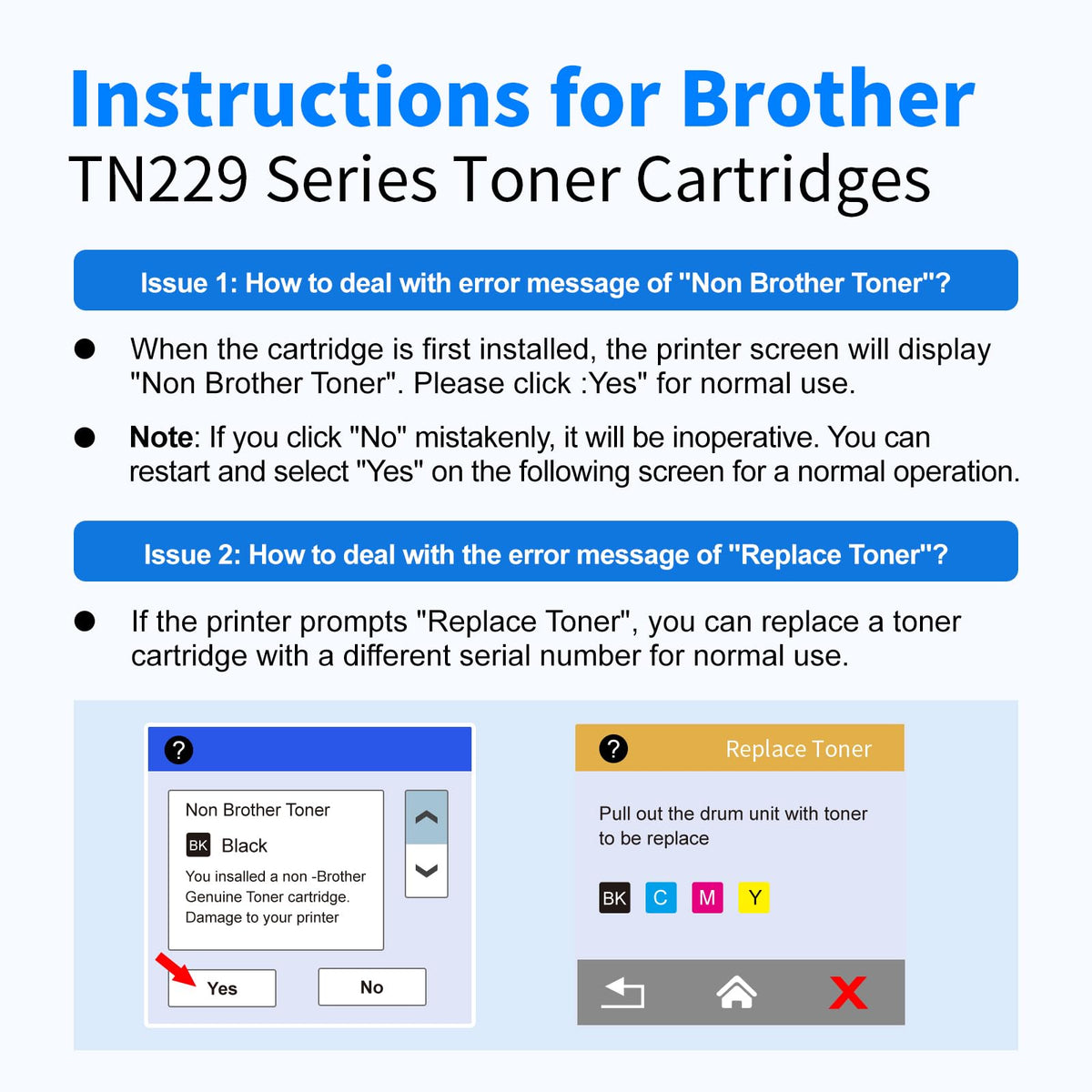
My printer shows a non-Brother supply message. Is that normal?
Some printers display a compatible-supply notice. Follow the available on-screen Continue or OK prompt where appropriate. A notice does not always mean the cartridge cannot print.
Does TN229XL include the DR229CL drum unit?
No. This set includes toner only. DR229CL drum units, WT229CL waste-toner boxes, and BU229CL belt units are sold separately.
How does myCartridge TN229XL print compared with original Brother toner?
In internal myCartridge R&D testing, approximately 99.82% print-output similarity was measured against OEM output under controlled conditions. This is not a Brother certification; actual results vary.
What should I do if printing looks light, streaky, or uneven?
Check for remaining seals, gently redistribute toner, slide the green corona-wire tab left and right and return it to Home, reinstall the assembly, and print a test page.
Is this an original Brother toner cartridge?
No. This is a myCartridge compatible replacement, not a Brother-manufactured or Brother-endorsed product.
Will TN229XL work in TN223, TN227, TN433, TN436, TN760, or TN830XL printers?
No. These are different Brother toner families. Confirm your full printer model and cartridge number before ordering.
Should I buy the TN229XL 4-Pack, 5-Pack, or Black 2-Pack?
Choose this 5-pack when you need all four colors plus an extra black. Choose the 4-pack for one full-color replacement set, or the black 2-pack if only black is running low.
What purchase protection comes with a direct myCartridge order?
Direct myCartridge.com orders qualify for the published Lifetime Warranty, 365-Day Returns, customer support, and related official-website protection benefits, subject to our posted policies.
How should unopened Brother TN229XL toner be stored?
Store sealed cartridges in a cool, dry place away from sunlight, excessive heat, moisture, and freezing temperatures until installation.
myCartridge is an independent supplier of compatible printer cartridges. Brother, TN229, TN229XL, TN-229XLBK, TN-229XLC, TN-229XLM, TN-229XLY, DR229CL, WT229CL, BU229CL, and referenced Brother printer model names are trademarks or model references of Brother Industries, Ltd., used solely to describe compatibility. This product is not manufactured, sponsored, or endorsed by Brother Industries, Ltd.
A Long-Term Solution, Not Just a One-Time Deal.
High printing costs shouldn't be a recurring burden. At myCartridge, we're here to help families, home offices, schools, and small businesses print affordably over the long run—with reliable compatible ink and toner cartridges, Lifetime Warranty support, and 365-Day Returns. These photos feature real customers behind that mission. Share your honest experience or setup photo with us—with your permission, your story may be featured here.


