






Payment & Security
Your payment information is processed securely. We do not store credit card details nor have access to your credit card information.
Payment & Security
Your payment information is processed securely. We do not store credit card details nor have access to your credit card information.
Description
Brother TN830XL Toner and DR830 Drum Unit Combo
This myCartridge replacement combo includes 2 compatible Brother TN830XL black toner cartridges and 1 compatible Brother DR830 drum unit for selected Brother HL, DCP, and MFC monochrome laser printers, including HL-L2400D, HL-L2405W, HL-L2460DW, HL-L2480DW, DCP-L2640DW, MFC-L2760DW, MFC-L2820DW, and MFC-L2860DW.
It is built for users who need both daily black toner replacement and drum-unit maintenance in one box. Use it when your printer shows “Replace Toner”, “Replace Drum”, or “Drum End Soon” and you want a clear toner-and-drum replacement kit instead of ordering separate parts.
What’s in the Box
This combo is designed to remove confusion between toner and drum replacement. The toner cartridges and drum unit are separate parts that work together inside your Brother laser printer.
| Item | OEM Number | Function | Listed Page Yield |
|---|---|---|---|
| 1 × DR830 Drum Unit | DR-830 | Transfers toner onto the page during printing. | Up to ~15,000 pages |
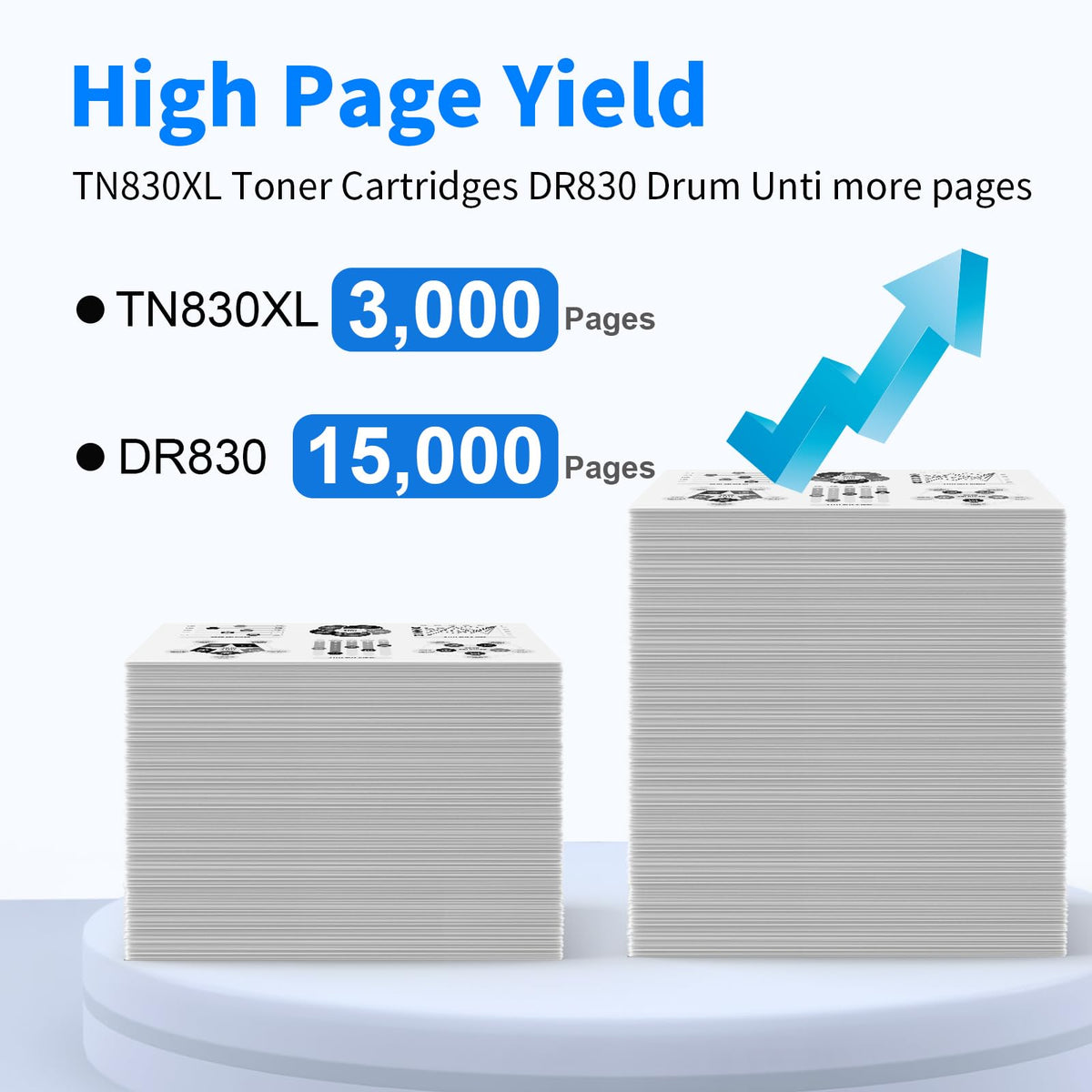
| 2 × TN830XL Toner Cartridges | TN-830XL | Contains black toner powder for printing text and documents. | Up to ~3,000 pages each ~6,000 toner pages total |
Yield note: Toner yield and drum yield are different. This combo provides up to about 6,000 listed toner pages and one drum unit rated up to about 15,000 pages. Actual yield varies by page coverage, print settings, paper type, humidity, and print frequency.
Compatible Brother Printers
This TN830XL toner and DR830 drum combo is designed for selected Brother monochrome laser printers listed below. Please confirm your exact printer model before ordering.
| Series | Compatible Models |
|---|---|
| Brother HL Series | |
| Brother DCP Series | |
| Brother MFC Series |
Buy This Combo If / Don’t Buy This Combo If
This product works best when you need both black toner and drum-unit maintenance. Use the checklist below to avoid buying more parts than you need.
Buy this combo if:
- Your printer shows “Replace Drum” or “Drum End Soon.”
- You also need black toner replacement or want toner backup.
- You want 2 toner cartridges + 1 drum unit in one box.
- You print invoices, forms, reports, contracts, shipping labels, or everyday black-and-white documents.
Don’t buy this combo if:
- Your printer does not use TN830 / TN830XL and DR830.
- Your printer only needs color toner.
- You only need one single black toner cartridge.
- You only need a drum unit and already have enough toner.
Need toner only? Choose the Brother TN830XL black toner 2-pack. Need drum only? Choose the Brother DR830 drum unit 1-pack.
Replace Toner vs Replace Drum: What the Printer Message Means
Brother monochrome laser printers use a toner cartridge and a drum unit as two separate working parts. The printer message tells you which part needs attention.
| Printer Message | What It Usually Means | Part to Replace |
|---|---|---|
| Replace Toner | The toner cartridge is low or empty. | TN830XL toner cartridge |
| Toner Low | The toner cartridge is running low, but you may still have some remaining pages. | Prepare a TN830XL toner cartridge |
| Replace Drum | The drum unit life counter has reached its replacement point. | DR830 drum unit |
| Drum End Soon | The drum unit is near the end of its service life. | Prepare a DR830 drum unit |
| Streaks, spots, or repeated marks | Could be toner distribution, protective material, or drum wear. | Check toner installation and drum condition |
Cost Comparison: Compatible Combo vs Brother Genuine Replacement
Buying Brother Genuine TN830XL toner and DR830 drum separately can be expensive. This compatible combo gives you the toner-and-drum parts in one package at a lower upfront replacement cost.
| Option | What You Get | Reference Price | Notes |
|---|---|---|---|
| Brother Genuine TN830XL2PK | 2 black TN830XL toner cartridges | $176.49 | Brother official twin-pack reference price at time of writing. |
| Brother Genuine DR830 | 1 DR830 drum unit | $157.99 | Brother official drum-unit reference price at time of writing. |
| Brother Genuine total | 2 toner cartridges + 1 drum unit | $334.48 | Estimated by adding the two Brother Genuine references above. |
| myCartridge Compatible Combo | 2 TN830XL toner cartridges + 1 DR830 drum unit | $56.24 after 25% OFF | 25% OFF cart-discounted price based on the current $74.99 page price. |
Estimated toner cost per listed page: Based on the current 25% OFF cart-discounted price of $56.24 and 6,000 listed toner pages, this combo is estimated at about 0.94¢ per listed toner page. Actual cost varies by coverage, document type, printer settings, paper type, and print frequency.
About the Smart Chips
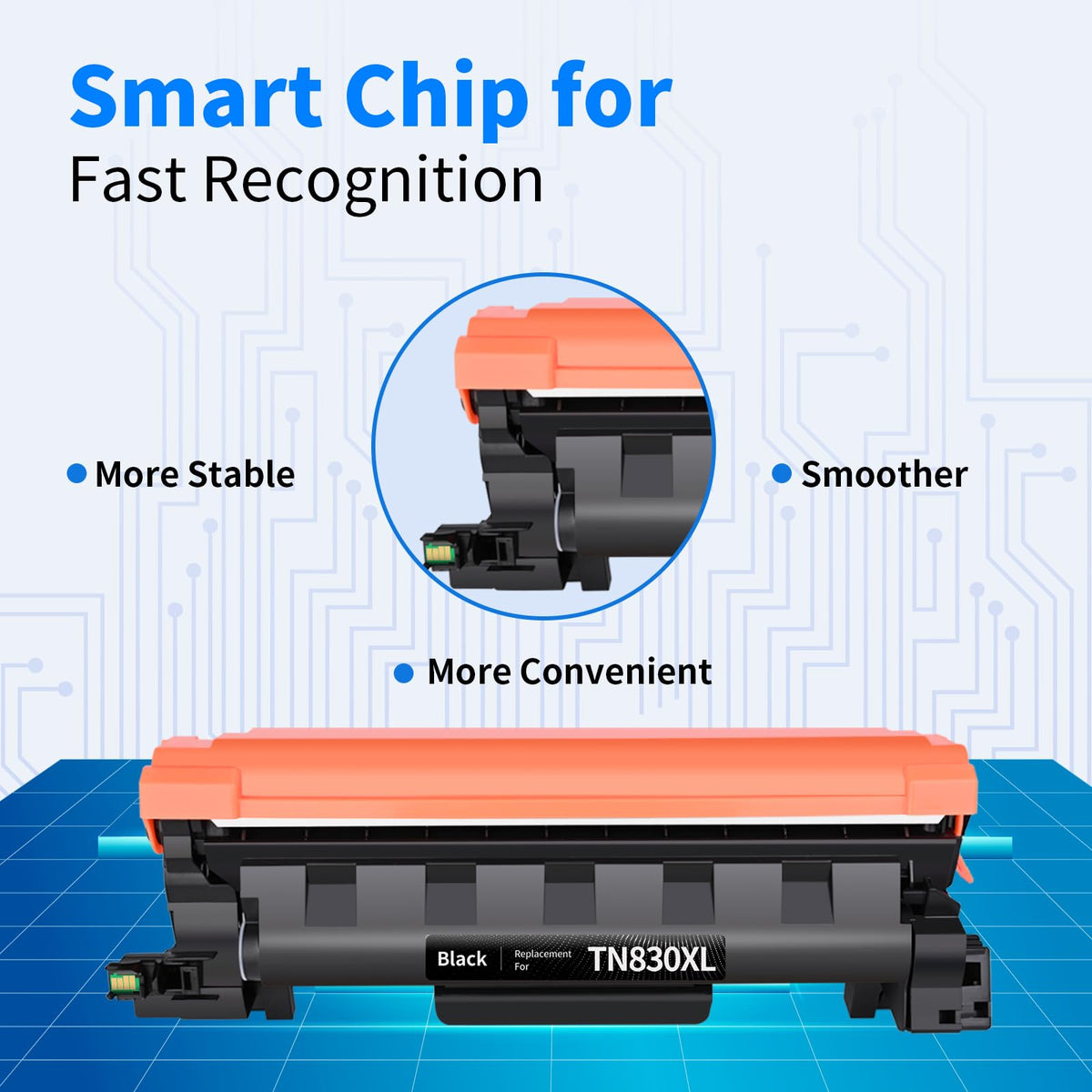
Each TN830XL toner cartridge in this combo includes a smart chip designed to help compatible Brother printers recognize the cartridge and support toner status communication after installation.
No chip transfer is required. You do not need to remove a chip from your old toner cartridge. Install the TN830XL toner cartridge into the DR830 drum unit, place the assembly back into the printer, and follow the printer prompts.
How to Install the DR830 Drum Unit and TN830XL Toner Cartridge
Install the toner cartridge and drum unit together as one assembly. Handle the drum carefully and avoid touching the green drum surface.
- Open the front cover of your Brother laser printer.
- Pull the existing drum unit and toner cartridge assembly straight out.
- Press the release lever and remove the used toner cartridge from the old drum unit.
- Unpack the new DR830 drum unit and remove all orange protective materials.
- Do not touch the green drum surface. Fingerprints, dust, or direct light can cause print defects.
- Unpack a new TN830XL toner cartridge and gently rock it side to side 5–6 times to distribute toner evenly.
- Remove the protective seal or cover from the toner cartridge completely.
- Slide the TN830XL toner cartridge into the DR830 drum unit until it clicks into place.
- Reinsert the drum-and-toner assembly into the printer and close the front cover.
- Print a test page. If you replaced the drum unit, reset the drum counter using your printer menu.
Why Your Brother Printer Still Says “Replace Drum” After Installing DR830
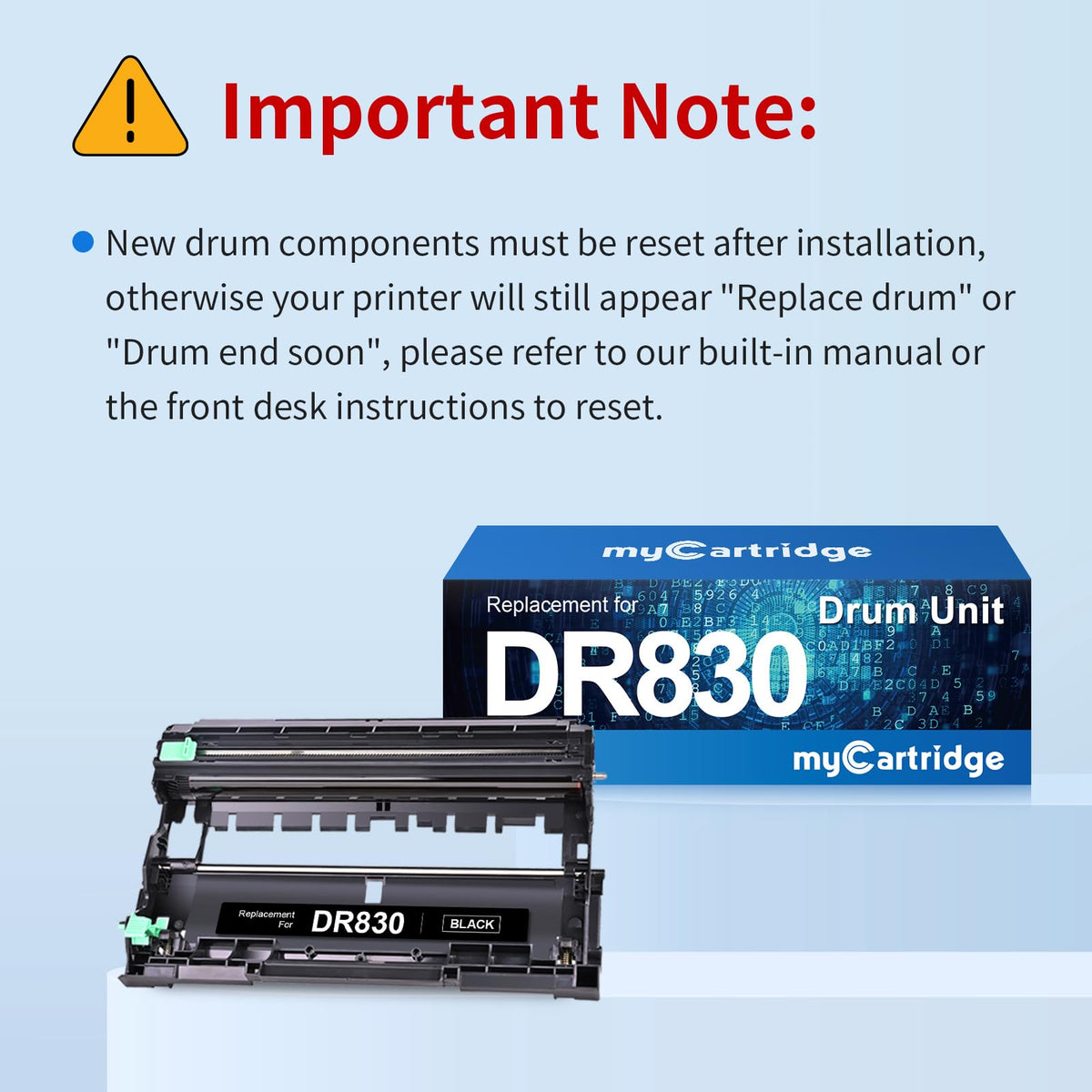
If your printer still says “Replace Drum” or “Drum End Soon” after installing a new DR830 drum unit, the drum counter usually needs to be reset manually. This is normal. Many Brother printers do not automatically clear the drum-life message just because a new drum has been installed.
| Step | Typical Drum Counter Reset Process |
|---|---|
| 1 | Keep the printer powered on and open the front cover. |
| 2 | Press and hold the OK button for several seconds until “Drum” or a reset option appears. |
| 3 | Press the Up arrow or confirmation option to reset the drum counter. |
| 4 | Close the front cover and allow the printer to return to Ready mode. |
Model note: Reset steps can vary slightly by Brother model. If these steps do not match your printer menu, check your printer manual or Brother support instructions for the exact DR830 drum counter reset process for your model.
Before You Buy Any TN830XL / DR830 Combo
Marketplace listings can be confusing because some include toner only, some include a drum only, and some include both. Before buying, confirm exactly what your printer needs and what the package includes.
| Checklist | Why It Matters |
|---|---|
| Does it include 2 toner cartridges and 1 drum unit? | Prevents buying toner-only when you also need a drum. |
| Is DR830 clearly listed as a drum unit? | DR830 is not toner. It is the imaging drum. |
| Are TN830XL toner yields stated clearly? | Each TN830XL toner cartridge is listed up to about 3,000 pages. |
| Are compatible printer models listed? | Brother model numbers are similar but not interchangeable. |
| Are smart chips included on the toner cartridges? | Helps with printer recognition and toner status communication. |
| Are drum reset instructions provided? | A new drum often needs a manual counter reset before the message clears. |
Frequently Asked Questions
Quick answers about Brother TN830XL toner, DR830 drum units, printer messages, installation, drum reset, page yield, and warranty support.
Does this product include both toner cartridges and a drum unit?
Yes. This listing includes 1 compatible Brother DR830 drum unit and 2 compatible Brother TN830XL black toner cartridges.
Is DR830 a toner cartridge?
No. DR830 is a drum unit, not a toner cartridge. TN830XL is the toner cartridge that contains black toner powder. The drum unit and toner cartridge work together inside the printer.
What is the total page yield of this combo?
The combo includes two TN830XL toner cartridges rated up to about 3,000 pages each, for about 6,000 listed toner pages total. The DR830 drum unit is rated up to about 15,000 pages. Toner and drum yield are different because they are different parts.
Which printers does this TN830XL and DR830 combo fit?
This combo is designed for selected Brother HL, DCP, and MFC monochrome laser printers, including HL-L2400D, HL-L2405W, HL-L2420DW, HL-L2460DW, HL-L2480DW, DCP-L2640DW, MFC-L2760DW, MFC-L2820DW, and MFC-L2860DW. Please confirm your exact model before ordering.
Should I buy this combo or toner only?
Buy this combo if your printer needs both black toner and a DR830 drum unit, or if the printer shows “Replace Drum” or “Drum End Soon” and you also want toner backup. If your printer only shows “Replace Toner,” a TN830XL toner-only pack may be enough.
Why does my printer still say “Replace Drum” after I installed the new drum?
After installing a new DR830 drum unit, many Brother printers require a manual drum counter reset. The printer may not automatically detect that the drum has been replaced. Use the drum reset steps in your printer menu or consult your model manual.
Do I need to transfer a chip from my old toner cartridge?
No. The TN830XL toner cartridges in this combo include smart chips, so no chip transfer is required.
What should I do if the cartridge is not recognized?
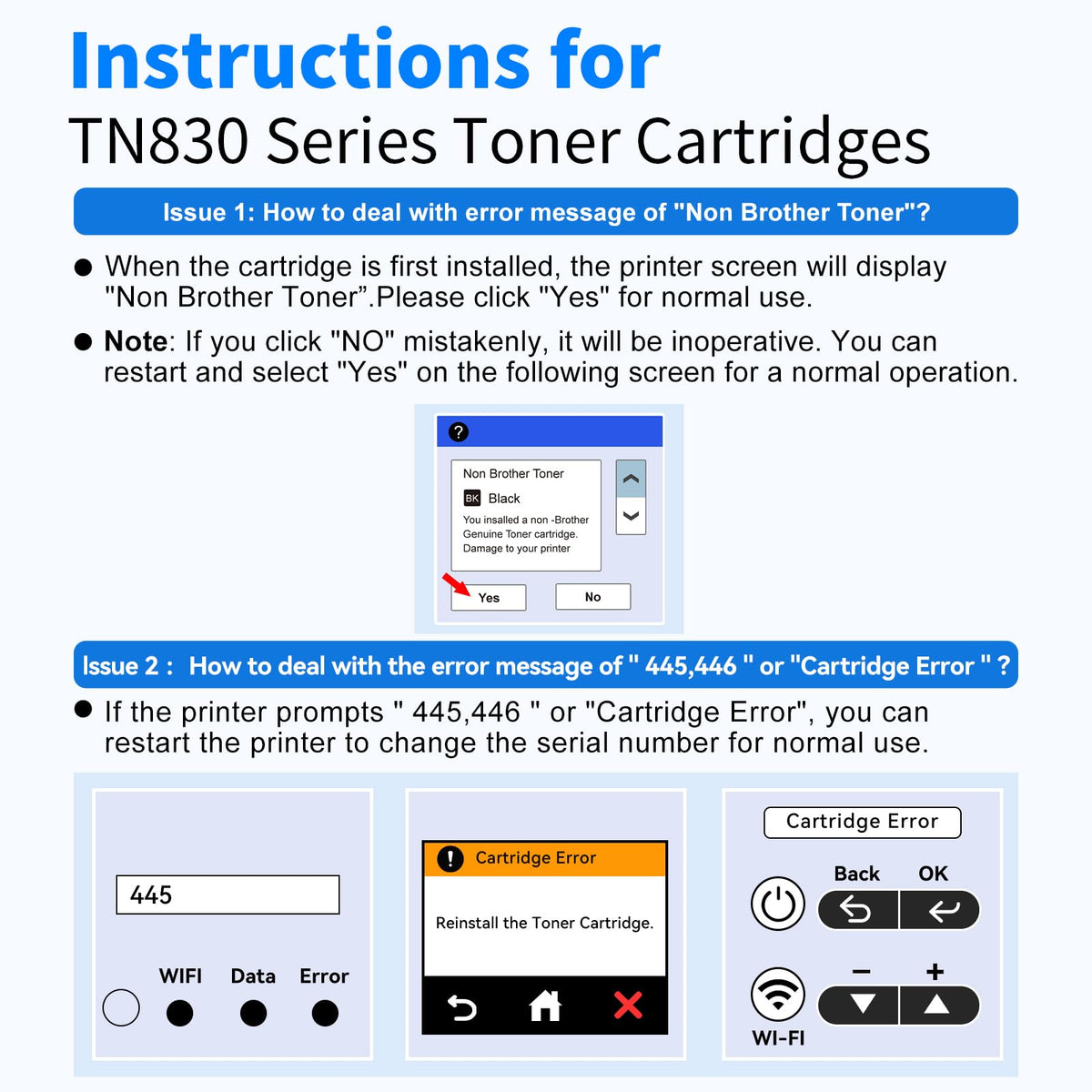
First confirm your printer model is compatible. Then remove the drum-and-toner assembly, confirm all protective materials were removed, make sure the TN830XL cartridge is locked firmly into the DR830 drum unit, reinstall the assembly, and restart the printer. If the issue continues, contact myCartridge support for troubleshooting, replacement, or return help on eligible orders.
What should I do if prints are light, streaky, or spotted?
Remove the toner cartridge, gently rock it side to side 5–6 times, reinstall it into the drum unit until it clicks, and print a test page. Also confirm that all orange protective materials and seals were removed. Repeated marks or spots may indicate the drum surface was touched, exposed to light, or needs replacement.
Will compatible toner or drum units void my Brother printer warranty?
Using compatible toner or drum units does not automatically void your printer warranty. A manufacturer would generally need to show that a specific compatible supply caused a specific issue. If you are unsure, keep your purchase records and contact support for help.
How should I store the unused TN830XL toner cartridge or DR830 drum unit?
Store sealed supplies in a cool, dry place away from direct sunlight and fluorescent light. Keep the drum unit in its protective packaging until installation because drum surfaces are light-sensitive.
myCartridge is an independent supplier of compatible printer consumables. Brother, DR830, DR-830, TN830, TN830XL, TN-830XL, HL-L2400D, HL-L2405W, HL-L2420DW, HL-L2460DW, HL-L2480DW, DCP-L2640DW, MFC-L2760DW, MFC-L2820DW, MFC-L2860DW, and related model names are trademarks of Brother Industries, Ltd., referenced here for compatibility purposes only. Product pricing, discounts, availability, page yield, and support policies may change over time.
A Long-Term Solution, Not Just a One-Time Deal.
High printing costs shouldn't be a recurring burden. At myCartridge, we're here to help families, home offices, schools, and small businesses print affordably over the long run—with reliable compatible ink and toner cartridges, Lifetime Warranty support, and 365-Day Returns. These photos feature real customers behind that mission. Share your honest experience or setup photo with us—with your permission, your story may be featured here.


