
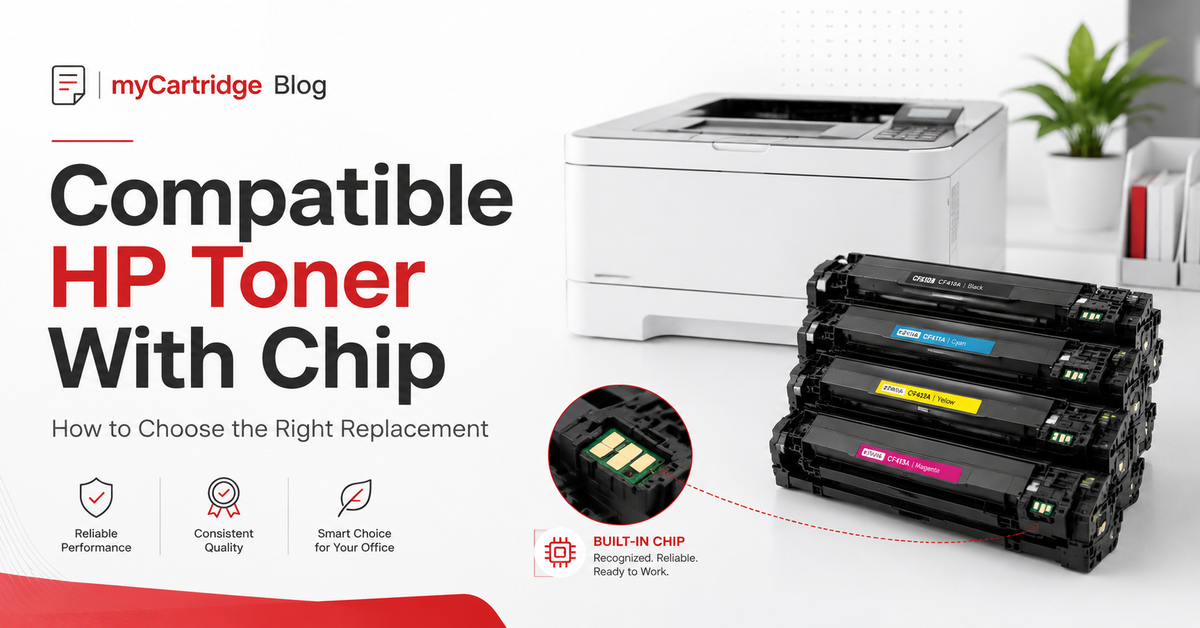
Compatible HP Toner Cartridges With Chip: How to Choose the Right Replacement
Looking for a compatible HP toner cartridge that fits your LaserJet printer, installs easily, and helps lower your printing cost? This guide explains how to choose the right HP toner replacement by cartridge number, printer model, chip requirement, yield, and everyday printing needs.
Quick Answer
The best way to choose a compatible HP toner cartridge is to match your printer model and the cartridge number printed on your old toner. For many newer HP LaserJet Pro printers, choosing a compatible toner cartridge with a pre-installed chip can make installation easier and help the printer recognize the cartridge without chip transfer.
Popular HP toner families include HP 206A, 206X, 414A, 414X, 210A, 210X, 218A, 218X, 48A, 58A, 58X, 148X, and 202X. If you print often, high-yield “X” cartridges usually offer a lower cost per page than standard-yield “A” cartridges.
Why More HP LaserJet Users Consider Compatible Toner
HP LaserJet and Color LaserJet Pro printers are popular for home offices, small businesses, schools, and work teams because they print fast and handle everyday documents well. The challenge is toner cost. Original HP toner cartridges can be expensive, especially when you need a full color set or print frequently.
Compatible HP toner cartridges are designed as replacement cartridges for specific HP printer models. For many customers, the goal is simple: keep the printer running, get clear documents, avoid overpaying for routine printing, and still have support if something goes wrong.
At myCartridge, compatible HP toner options are organized by cartridge number and printer model, so customers can compare pack count, color set, yield, chip information, and fit before ordering.
What Does “With Chip” Mean for HP Toner?
Many HP toner cartridges use a chip to communicate with the printer. The chip may help the printer identify the cartridge, monitor toner status, and complete the installation process. Some compatible toner cartridges require customers to transfer a chip from an old cartridge. Others come with a pre-installed chip.
For most everyday users, a compatible HP toner cartridge with a pre-installed chip is the simpler choice. It can reduce extra setup steps and make installation feel closer to replacing an original cartridge.
How to Find the Right HP Toner Cartridge
The fastest way to avoid a wrong order is to check both the printer model and cartridge number. You can usually find this information in three places:
- The label on your old toner cartridge
- The printer menu or supply status page
- The printer manual or HP printer model label
For example, an HP Color LaserJet Pro MFP M479fdw commonly uses HP 414A or HP 414X toner. An HP Color LaserJet Pro MFP M283fdw commonly uses HP 206A or HP 206X toner. The printer model tells you the family; the cartridge number tells you the exact replacement.
Popular Compatible HP Toner Families
Use the table below as a quick starting point. Always confirm your exact printer model and cartridge number before placing an order.
| HP Toner Family | Common Printer Models | Best For | Shop / Check Fit |
|---|---|---|---|
| HP 206A / HP 206X | HP Color LaserJet Pro M255dw, M255nw, MFP M282nw, M283fdw, M283cdw | Home office and small office color printing | Shop HP 206 toner |
| HP 414A / HP 414X | HP Color LaserJet Pro M454dw, M454dn, MFP M479fdw, M479dw, M479fdn | Business color printing and higher-volume teams | Shop HP 414X 4-Pack |
| HP 210A / HP 210X | HP Color LaserJet Pro 4201dw, 4201dn, MFP 4301fdw, 4301fdn | Newer HP Color LaserJet Pro office printers | Shop HP 210 toner |
| HP 218A / HP 218X | HP Color LaserJet Pro 3201dw, MFP 3301fdw | New-generation HP color laser users | Shop HP 218 toner |
| HP 58A / HP 58X | HP LaserJet Pro M404n, M404dn, M404dw, MFP M428dn, M428fdw, M428fdn | Black-and-white office document printing | Shop HP 58A / 58X toner |
| HP 48A CF248A | HP LaserJet Pro M15w, M16w, MFP M28w, M29w | Compact monochrome HP printers | Shop HP 48A toner |
| HP 148X | HP LaserJet Pro 4001 series, MFP 4101 series | Newer monochrome business printers | Shop HP 148X toner |
| HP 202X | HP Color LaserJet Pro M254dw, M254nw, MFP M281fdw, M281cdw | Mid-range HP color laser printing | Shop HP 202X toner |
HP A vs X Toner: Which One Should You Buy?
Many HP toner families come in standard-yield and high-yield versions. In general, “A” usually refers to standard yield, while “X” usually refers to high yield. Both versions may fit the same printer, but the high-yield version prints more pages.
If you only print occasionally, a standard-yield cartridge may be enough. If you print frequently, buy toner for an office, or need color documents every week, high-yield “X” cartridges are often the better value because they can lower your cost per page.
Example: HP 414A vs HP 414X
HP 414A and HP 414X are commonly used with HP Color LaserJet Pro M454 and MFP M479 printers. The main difference is yield. HP 414A is the standard-yield option, while HP 414X is the high-yield option. For regular office color printing, the HP 414X 4-pack can be a more practical choice because it prints more pages before replacement.
Will Compatible HP Toner Damage My Printer?
A correctly matched compatible toner cartridge should be designed to work with the printer models listed on the product page. The most important step is choosing the correct cartridge family and confirming the compatible printer model before checkout.
It is also normal for some HP printers to display a message such as “non-HP cartridge” or a supply alert when a compatible toner is installed. In many cases, this simply means the printer has detected that the cartridge is not made by the original printer brand. Follow the on-screen instructions and check the product page guidance if needed.
In the United States, using a compatible cartridge should not automatically void an entire printer warranty simply because it is not an original cartridge. However, warranty situations can depend on the specific issue, so customers should keep order records, follow printer instructions, and contact support if they have questions.
Why Choose myCartridge for Compatible HP Toner?
Buying compatible toner is not only about finding the lowest price. The better question is: can you quickly confirm fit, understand what is included, and get help if something does not work as expected?
myCartridge focuses on practical cartridge shopping for home offices, families, schools, and businesses. Product pages include printer compatibility details, cartridge family information, pack count, color set, yield details when available, and chip information for many toner listings.
- Clear compatibility: Match by printer model or cartridge number before ordering.
- With-chip toner options: Many HP toner listings include chip information to help customers understand installation requirements.
- High-yield and multi-pack value: Choose 2-packs, 4-packs, black toner, or full color sets based on your printing volume.
- Free U.S. shipping on orders over $35: Helpful for customers comparing total checkout cost.
- 30-day easy returns and warranty support: Added confidence for first-time compatible toner buyers.
If you already know your cartridge number, start with the Compatible HP Toner collection. If you are not sure which cartridge fits, use the Printer Cartridge Compatibility Guide before placing your order.
When Should You Contact Support Before Ordering?
Contact support before ordering if your printer recently had a firmware update, your printer model is not listed on the product page, your old cartridge number looks different from the product title, or you are choosing toner for multiple office printers.
A quick check before checkout is much faster than ordering the wrong cartridge. For help, contact myCartridge Support with your printer model and the cartridge number printed on your old toner.
Recommended HP Toner Buying Path
- Check your printer model, such as M283fdw, M479fdw, M404dw, M428fdw, 4201dw, or 4301fdw.
- Check the old toner cartridge number, such as 206X, 414X, 58A, 58X, 210A, or 210X.
- Decide whether you need standard yield or high yield.
- Choose black-only toner or a full color set.
- Confirm chip information on the product page.
- Review shipping, returns, and warranty support before checkout.
FAQ: Compatible HP Toner Cartridges With Chip
What is a compatible HP toner cartridge?
A compatible HP toner cartridge is a replacement toner cartridge made by a third-party brand to work with specific HP printer models. It is not made by HP, but it is designed to fit and print with compatible HP LaserJet printers.
What does “with chip” mean on HP toner?
“With chip” means the cartridge includes a chip that helps the printer communicate with the cartridge. For many customers, a pre-installed chip can make setup easier because there is no need to transfer a chip from the old cartridge.
How do I know which HP toner cartridge I need?
Check your printer model and the cartridge number on your old toner. You can also use the myCartridge compatibility guide to match your printer model with the correct cartridge family.
What is the difference between HP A and HP X toner?
In many HP toner families, “A” is standard yield and “X” is high yield. High-yield X cartridges print more pages and are often better for frequent printing or office use.
Can HP 414A and HP 414X fit the same printer?
In many cases, yes. HP 414A and HP 414X are used with similar HP Color LaserJet Pro printer families, but 414X is the high-yield version. Always confirm your exact printer model before ordering.
Why does my HP printer show a non-HP cartridge message?
Some HP printers display a message when they detect a cartridge that is not made by the original printer brand. This message does not always mean the cartridge cannot be used. Follow the printer screen instructions and check the product page guidance.
Are compatible HP toner cartridges good for home offices?
Yes, compatible HP toner cartridges can be a practical option for home offices that print documents, forms, invoices, labels, schoolwork, or everyday color pages. Choose the correct cartridge model and yield for your print volume.
What should I do if I ordered the wrong HP toner?
Contact myCartridge Support as soon as possible with your order number, printer model, and the cartridge number you intended to buy. Checking the compatibility guide before ordering can help reduce wrong purchases.
Ready to Find the Right HP Toner?
Choose compatible HP toner cartridges by cartridge number, printer model, yield, and chip information. Whether you need HP 206X, 414X, 210X, 58X, 48A, 148X, or another popular HP toner family, myCartridge helps you compare fit before checkout.

