


Payment & Security
Your payment information is processed securely. We do not store credit card details nor have access to your credit card information.
Payment & Security
Your payment information is processed securely. We do not store credit card details nor have access to your credit card information.
Description
Brother TN830XL Toner for HL, DCP & MFC Laser Printers
Confirm your printer model before ordering.
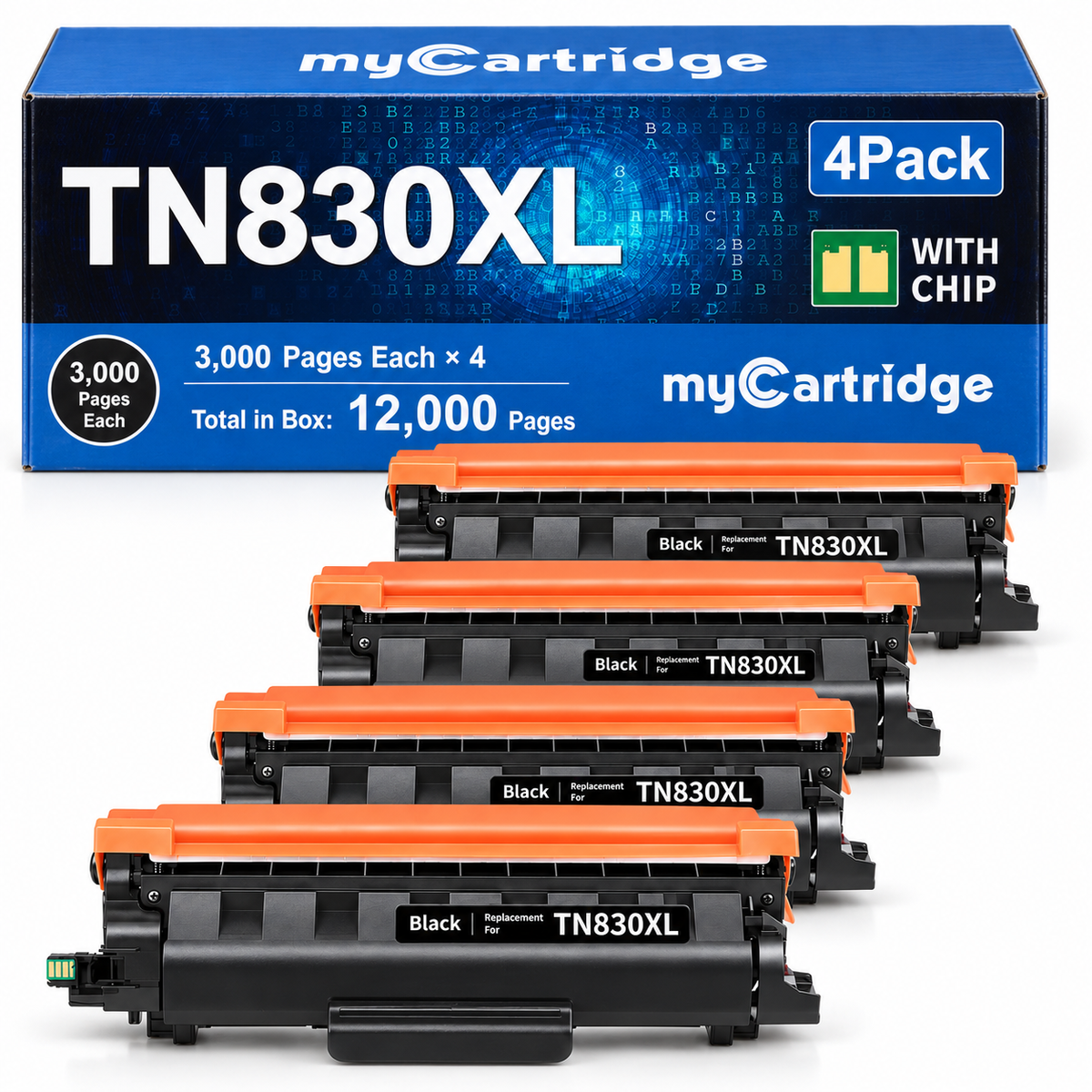
Quick check: This 4-pack includes four Brother TN830XL high-yield black toner cartridges with pre-installed smart chips. Each cartridge is listed at approximately 3,000 pages, for approximately 12,000 listed pages across the 4-pack.
Need the full TN830XL model list? See the Brother TN830XL Printer Compatibility Guide for model-by-model toner and DR830 drum matching.
Need a different Brother toner family? Use the Brother Toner Compatibility Guide to match TN760, TN830XL, TN229XL, TN920XL, TN635XL and other Brother toner families by printer model.
Brother TN830XL Compatible Toner Cartridges 4-Pack With Smart Chip
This myCartridge Brother TN830XL compatible toner 4-pack includes four high-yield black toner cartridges for compatible Brother HL, DCP, and MFC laser printers.
Each cartridge delivers up to approximately 3,000 pages, providing a combined listed yield of approximately 12,000 pages.
Every cartridge includes a pre-installed smart chip designed to support easier installation, printer recognition, and toner-level tracking. No chip transfer from your old cartridge is required.
A Simpler Way to Replace Brother TN830XL Toner

Compatible toner should help lower printing costs without adding unnecessary setup work. This TN830XL pack is designed around the questions customers care about most: printer recognition, smart chips, page yield, drum compatibility, print quality, and after-sales support.
Brother TN830XL buying concerns answered
Printer recognition: Each cartridge includes a pre-installed smart chip designed to support recognition and toner-level monitoring with compatible Brother printers.
No chip transfer: You do not need to remove or reuse the chip from your old toner cartridge.
High-yield printing: TN830XL provides approximately 3,000 listed pages per cartridge, compared with approximately 1,200 pages from standard-yield TN830. Read the full Brother TN830 vs TN830XL buying guide →
Four-cartridge supply: The pack contains four individually packaged black cartridges, making it practical for home offices, businesses, schools, and other regular-printing environments.
Drum compatibility: TN830XL is the toner cartridge. Your Brother printer uses a separate DR830 drum unit, which normally stays in use when you replace toner.
Support after purchase: myCartridge products are backed by lifetime warranty support and 365-day returns for eligible items.
Best for: Brother printer users who print regularly and want high-yield black toner, fewer cartridge replacements, pre-installed chips, lower cost per page, and direct support after purchase.
myCartridge Brother TN830XL vs. Other Options
Page yield may look similar, but the setup, day-to-day experience, warranty, and support can be very different.
| What Matters | myCartridge Brother TN830XL Ready to Install | Original Brother TN830XL | Other Third-Party Brother TN830XL |
|---|---|---|---|
| Smart Chip Included | Yes — pre-installed | Yes — original Brother chip | Most are sold without chips. Some brands may ship either a chip or no-chip version depending on available stock. |
| Chip Transfer | No transfer needed | No transfer needed | No-chip versions require you to move the original Brother chip yourself. The chip can be damaged during removal if you do not have the right tools or experience. |
| Toner-Level Display | Supported | Supported | Most do not show the toner level correctly. |
| Recognition Check Before Shipping | Yes — checked before shipment | Native OEM recognition | Not offered. |
| Warranty | Lifetime Warranty | Limited Warranty | Limited warranty. |
| Customer Reviews | ★★★★★ 4.9/5 · 200+ Reviews | Large number of customer reviews | Usually very few customer reviews, so the rating can be hard to judge. |
myCartridge is built for buyers who want the chip already installed, toner-level display support, a recognition check before shipping, and Lifetime Warranty support.
Experienced DIY users who already know how to remove and transfer an original Brother chip safely and have the proper tools for the job.
Want a deeper OEM-vs-compatible comparison? See our Brother TN830XL Original Brother Alternative guide for a closer look at cost, page yield, smart-chip setup, toner-level tracking, DR830 drum separation, and office printing value.
What's in the Box
| Cartridge | Type | Color | Page Yield | Total Pack Yield |
|---|---|---|---|---|
| 4 × TN830XL | High Yield | Black | Up to ~3,000 pages each | Up to ~12,000 pages |
Page yield is based on approximately 5% page coverage under ISO/IEC 19752 testing conditions. Actual yield may vary depending on page coverage, document type, printer settings, and usage conditions.
Brother TN830 vs TN830XL: What's the Difference?
TN830 and TN830XL are designed for the same compatible Brother printers. The key difference is page yield. TN830XL contains more toner, which means fewer cartridge replacements and typically a lower cost per page for regular printing. For a deeper comparison of page yield, cost per page, monthly print volume, and when you need the separate DR830 drum, see our Brother TN830 vs TN830XL vs DR830 guide.
Not sure your printer uses the TN830 family? Check the Brother Toner Compatibility Guide before ordering.
| Feature | TN830 Standard Yield | TN830XL High Yield |
|---|---|---|
| Page Yield | ~1,200 pages | ~3,000 pages |
| Compatible Printers | Same compatible Brother printer family | Same compatible Brother printer family |
| Best For | Light or occasional printing | Regular home or office printing |
| Replacement Frequency | More frequent | Less frequent |
| Cost Per Page | Higher | Lower |
Pre-Installed Smart Chip — No Chip Transfer Needed
Every myCartridge TN830XL cartridge includes a pre-installed smart chip designed to support printer recognition and toner-level monitoring with compatible Brother printers. Learn how chip recognition, toner-level tracking, and firmware updates relate in our Brother TN830XL Smart Chip & Firmware Guide.
You do not need to remove, reuse, or transfer a chip from your old toner cartridge.
Simply remove the protective packaging, install the new toner cartridge into your existing compatible drum unit, and reinstall the complete assembly into the printer.
TN830XL Toner vs DR830 Drum Unit
Brother laser printers use separate toner cartridges and drum units. This product contains TN830XL toner cartridges only and does not include a DR830 drum unit.
| Part | What It Does | Included? |
|---|---|---|
| TN830XL Toner | Contains the toner powder used to print documents | Yes — 4 cartridges |
| DR830 Drum Unit | Works with the toner cartridge to transfer the printed image | No |
How to Install Brother TN830XL Toner
Watch the installation video, then follow the steps below to install your myCartridge TN830XL toner cartridge.
- Open the front cover of your Brother laser printer.
- Pull the toner cartridge and drum unit assembly straight out of the printer.
- Press the green lock lever and remove the old toner cartridge from the drum unit.
- Unpack the new TN830XL cartridge and gently rock it side to side 5–6 times to distribute the toner evenly.
- Remove all protective packaging and seals.
- Insert the new TN830XL cartridge firmly into the existing drum unit until it locks into place.
- Reinstall the toner and drum assembly into the printer.
- Close the front cover and allow the printer to initialize.
Need more detailed setup help? See our complete Brother TN830XL Installation Guide for toner-and-DR830 assembly handling, protective-material removal, corona-wire cleaning, seating checks, and common messages after installation.
How Does myCartridge TN830XL Print?
In internal myCartridge R&D lab testing, this TN830XL compatible toner achieved approximately 99.82% print output similarity compared with OEM output under controlled test conditions.
For everyday black-and-white printing such as business reports, invoices, contracts, shipping documents, schoolwork, forms, and general office documents, differences are typically difficult to notice during normal use.
The toner is designed to deliver sharp black text, clean lines, consistent density, and reliable everyday document output.
If the cartridge is recognized but pages are faded, streaky, uneven, ghosted, or show repeating marks, use our Brother TN830XL Print Quality Troubleshooting Guide to separate toner-related symptoms from DR830 drum issues.
Testing data is from the myCartridge R&D lab. Actual print results may vary based on printer condition, paper type, page coverage, print settings, cartridge usage, and operating environment.
Brother TN830XL Customer Reviews for myCartridge Toner 4-Pack
Rated 4.9 out of 5 based on 200+ customer reviews for the myCartridge Brother TN830XL toner 4-pack.
- Four high-yield TN830XL black toner cartridges in one pack.
- Approximately 3,000 listed pages per cartridge and 12,000 listed pages across the 4-pack.
- Pre-installed smart chips with no old-chip transfer required.
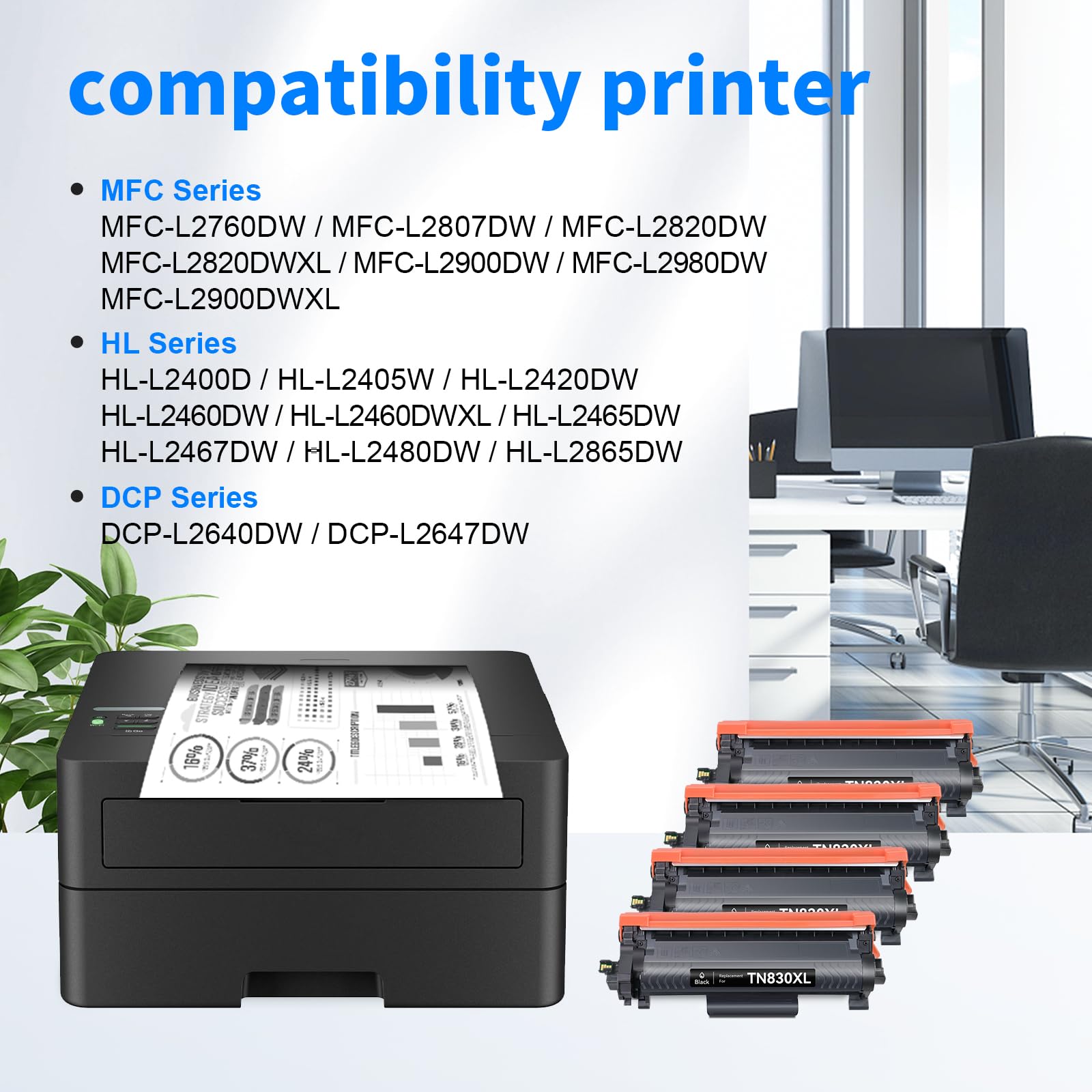
- Designed for the compatible Brother HL, DCP, and MFC printer models listed above.
Frequently Asked Questions
Quick answers about Brother TN830XL compatibility, page yield, smart chips, TN830 vs TN830XL, DR830 drum units, print quality, installation, and warranty support.
Does this package include four TN830XL cartridges?
Yes. This listing contains four individually packaged TN830XL compatible high-yield black toner cartridges.
How many pages does each TN830XL cartridge print?
Each TN830XL cartridge provides up to approximately 3,000 pages at 5% coverage, giving the four-pack a combined listed yield of approximately 12,000 pages.
What is the difference between TN830 and TN830XL?
TN830 is the standard-yield version at approximately 1,200 pages, while TN830XL is the high-yield version at approximately 3,000 pages. Both are designed for the same compatible Brother printer family. Compare TN830, TN830XL, cost per page, and DR830 in the full guide.
Does TN830XL come with a smart chip?
Yes. Each myCartridge TN830XL toner cartridge includes a pre-installed smart chip. No chip transfer from your old cartridge is required.
Does this package include the DR830 drum unit?
No. This product contains TN830XL toner cartridges only. Your existing compatible DR830 drum unit stays in use unless the drum itself needs replacement.
Will my Brother printer recognize these compatible cartridges?
Each cartridge includes a pre-installed smart chip designed to support printer recognition and toner-level monitoring with compatible Brother printers. No chip transfer is required.
What should I do if my printer does not recognize the cartridge?
First confirm that your printer model uses TN830 or TN830XL toner. Remove and reinstall the toner cartridge firmly into the drum unit, confirm all protective materials have been removed, and restart the printer.
If the issue continues, contact myCartridge support for troubleshooting, replacement, or return assistance.
How does myCartridge TN830XL print compared with original Brother toner?
Based on internal myCartridge R&D lab testing, this TN830XL compatible toner achieved approximately 99.82% print output similarity compared with OEM output under controlled testing conditions.
It is designed for sharp black text, clean lines, consistent density, and reliable everyday office printing. Actual results may vary based on printer condition, paper type, page coverage, and print settings.
What should I do if the print looks light, streaky, or uneven?
Remove the cartridge, gently rock it side to side 5–6 times to redistribute the toner, reinstall it, and print a test page.
Also confirm that all protective seals and packaging materials have been fully removed.
Will using compatible toner automatically void my Brother printer warranty?
Using a third-party compatible toner cartridge by itself generally does not automatically void the entire printer warranty. If a printer problem occurs, warranty coverage may depend on the cause of that specific problem.
Where can I check other Brother toner cartridge families?
Use the Brother Toner Compatibility Guide to match your exact Brother printer model to TN760, TN830XL, TN229XL, TN920XL, TN635XL and other Brother toner families before ordering.
How should I store unused TN830XL cartridges?
Keep unopened cartridges sealed in their original packaging in a cool, dry place away from direct sunlight, excessive heat, and humidity.
myCartridge is an independent supplier of compatible printer cartridges. Brother, TN830, TN830XL, DR830, and related printer model names are trademarks of Brother Industries, Ltd. and are referenced solely for compatibility identification purposes.
A Long-Term Solution, Not Just a One-Time Deal.
High printing costs shouldn't be a recurring burden. At myCartridge, we're here to help families, home offices, schools, and small businesses print affordably over the long run—with reliable compatible ink and toner cartridges, Lifetime Warranty support, and 365-Day Returns. These photos feature real customers behind that mission. Share your honest experience or setup photo with us—with your permission, your story may be featured here.


