



Payment & Security
Your payment information is processed securely. We do not store credit card details nor have access to your credit card information.
Payment & Security
Your payment information is processed securely. We do not store credit card details nor have access to your credit card information.
Description
HP 206X Toner for HP Color LaserJet Pro M255 & MFP M282/M283 Series
Compatible HP Printers
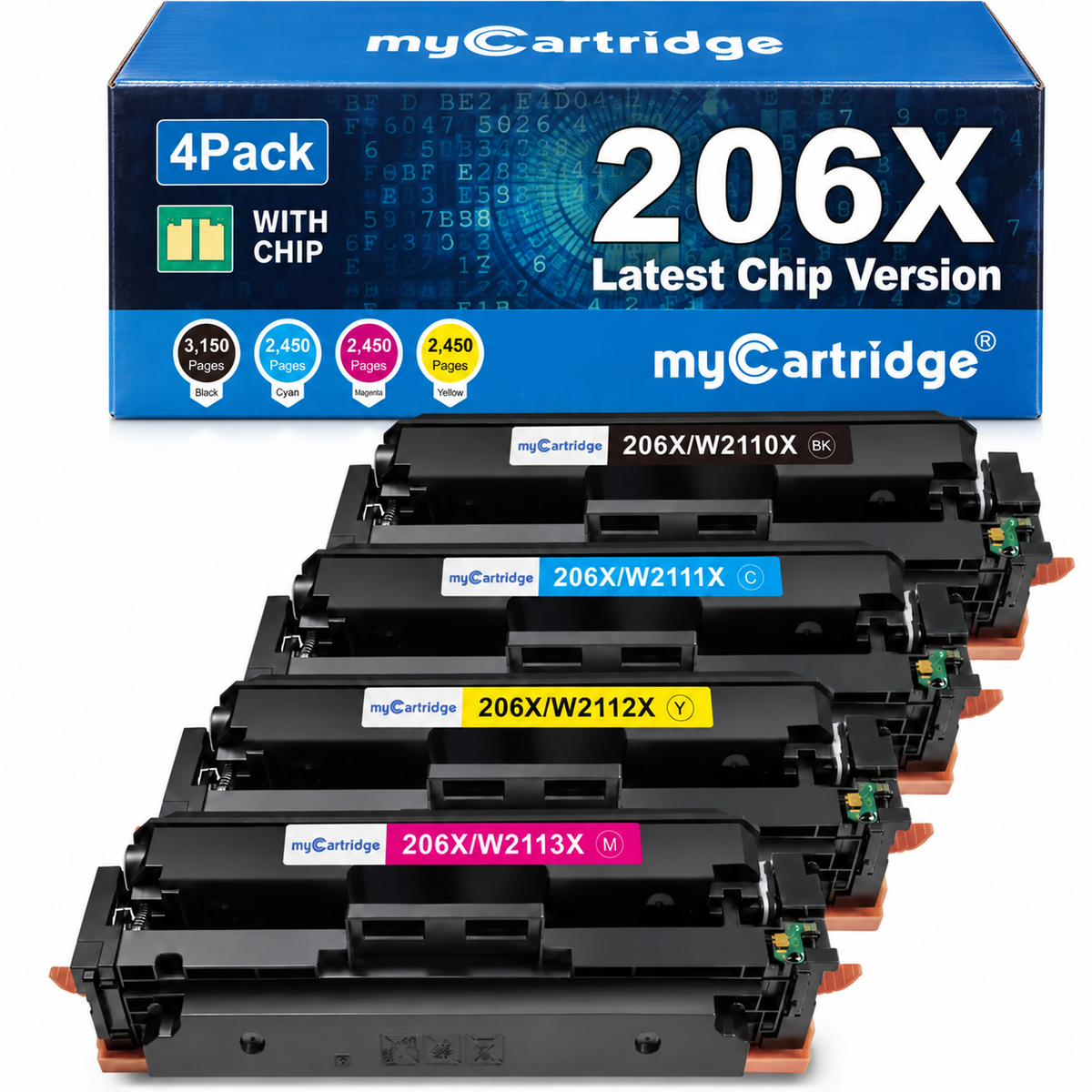
Quick check: This 4-pack includes HP 206X / W2110X, W2111X, W2112X, and W2113X toner cartridges with pre-installed smart chips. Not sure which color is W2110X, W2111X, W2112X, or W2113X? See our HP 206X cartridge numbers guide.
HP 206X Toner Cartridges 4-Pack With Chip
This myCartridge HP 206X toner 4-pack is made for HP Color LaserJet Pro M255dw, M255nw, and HP Color LaserJet Pro MFP M282nw / M283cdw / M283fdn / M283fdw printers. It includes black, cyan, magenta, and yellow high-yield cartridges with pre-installed smart chips, so you can install them without transferring chips from your old cartridges.
Made for everyday home office and business printing, this HP 206X compatible toner set is designed to deliver sharp black text, clean color output, and consistent results for reports, invoices, presentations, shipping labels, schoolwork, and daily office documents.

Choosing HP 206X toner should be simple. This pack is designed to reduce the common hassles of chip transfer, printer recognition issues, toner-level tracking, and after-sales support.
HP 206X buying concerns answered
Common HP 206X Buying Concerns, Solved
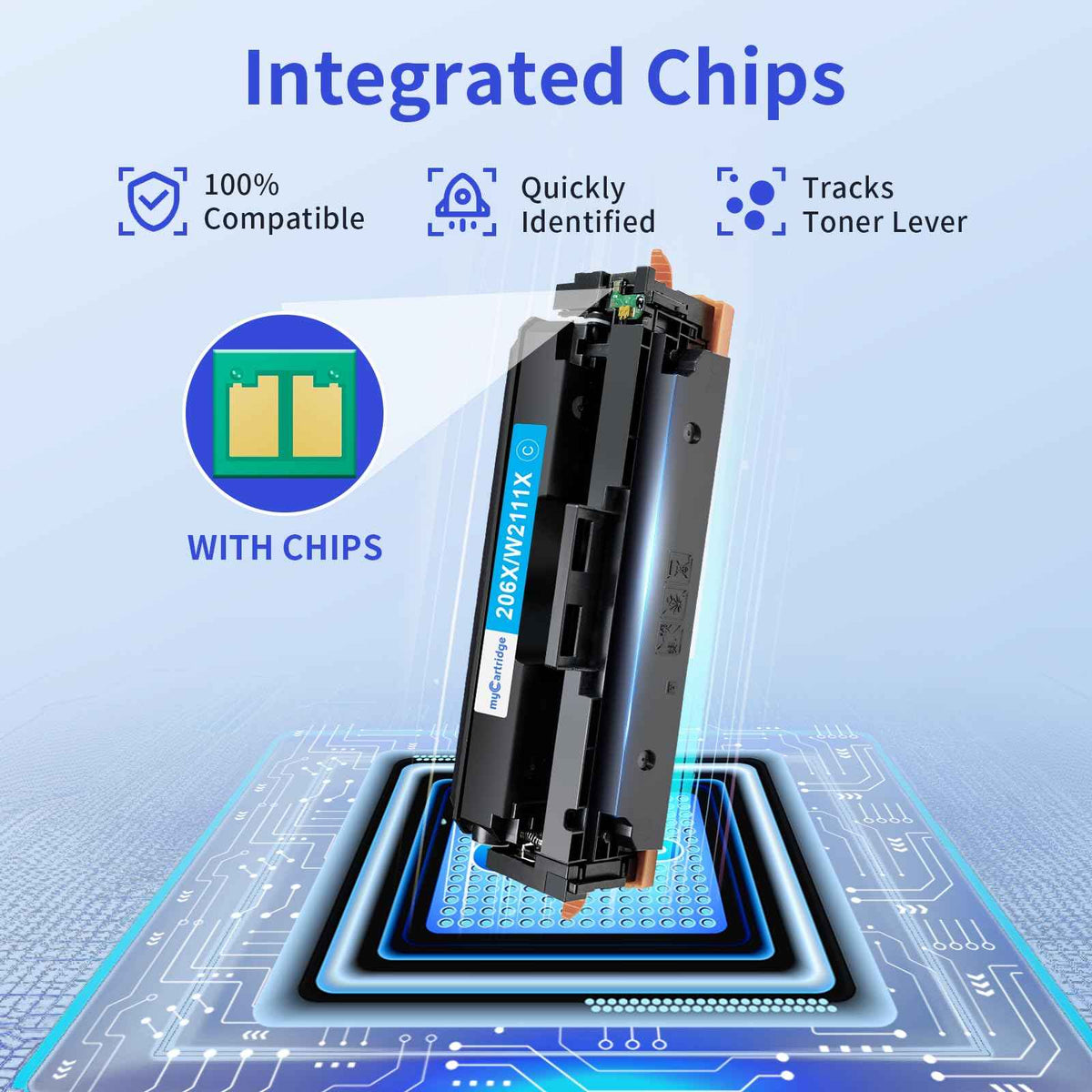
Printer recognition: Each myCartridge HP 206X compatible toner cartridge comes with a pre-installed smart chip to help support smoother recognition with compatible HP Color LaserJet Pro M255 and MFP M282/M283 series printers.
No chip transfer: You do not need to remove or transfer the chip from your old cartridge. The black, cyan, magenta, and yellow cartridges are ready to install out of the box.
High-yield printing: HP 206X is the high-yield version of HP 206A, designed for users who print reports, invoices, presentations, shipping documents, and daily office files more often.
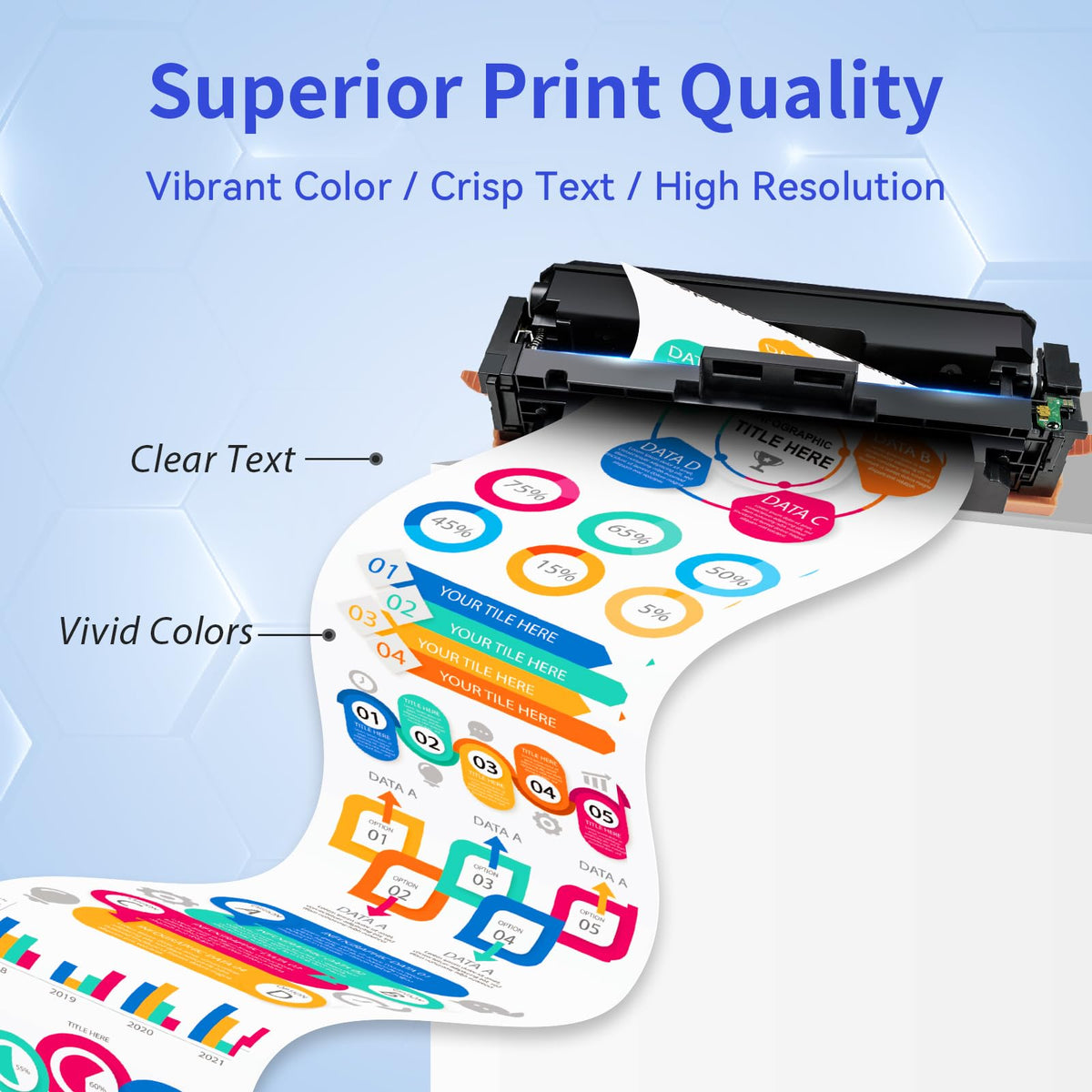
Print quality: This HP 206X compatible toner set is designed for sharp text, clean color output, and consistent everyday printing across office documents, invoices, presentations, shipping labels, schoolwork, and home business files.
Complete color set: This 4-pack includes black, cyan, magenta, and yellow toner cartridges, so your printer is ready for full-color output without being stopped by one missing color.
Support after purchase: Orders placed directly through mycartridge.com are backed by Lifetime Warranty, our 100% Satisfaction Commitment, 365-Day Returns, full after-sales customer support, product quality assurance and pre-shipment firmware compatibility checks. New or used myCartridge products purchased through other channels do not qualify for these protections or services.
Best for: HP Color LaserJet Pro users who want a high-yield 206X toner cartridge set with pre-installed chips, easier installation, lower everyday printing cost, toner-level monitoring support, and reliable support after purchase.
myCartridge HP 206X vs. Other Options
Compare the complete high-yield HP 206X 4-pack (black, cyan, magenta and yellow) by price, chip setup, returns and warranty. Lower-priced chipless sets are not the same ready-to-install configuration.
Swipe to compare all options →
| What Matters | myCartridge HP 206XReady to Install | Original HP 206X | Other Third-Party HP 206X |
|---|---|---|---|
| 4-Pack Price | $90.00Save about $460 (84%) vs. Original HP | Approx. $550 for an Original HP 206X high-yield 4-pack (BK/C/M/Y) | Most comparable high-yield 4-packs with pre-installed smart chips cost $120+. |
| Return Policy | 365-Day Returns | 30 days for eligible HP Store orders | Most offer 30-day returns. |
| Warranty | Lifetime Warranty100% Satisfaction Commitment | Limited Warranty | Limited warranty. |
| Smart Chip Included | Yes — pre-installed | Yes — original HP chip | Most are sold without chips. Some brands may ship either a chip or no-chip version depending on available stock. |
| Chip Transfer | No transfer needed | No transfer needed | No-chip versions require you to move the original HP chip yourself. The chip can be damaged during removal if you do not have the right tools or experience. |
| Toner-Level Display | Supported | Supported | Most do not show the toner level correctly. |
| Recognition Check Before Shipping | Yes — checked before shipment | Native OEM recognition | Not offered. |
| Customer Reviews | ★★★★★4.9/5 · 600+ Reviews | Large number of customer reviews | Usually very few customer reviews, so the rating can be hard to judge. |
Which HP 206X toner should you buy?
For HP Color LaserJet Pro M255 and MFP M282/M283 series printers, the myCartridge HP 206X high-yield 4-pack combines pre-installed smart chips, no old-chip transfer, toner-level monitoring support and recognition checks before shipping. At just $90.00 after the automatic 25% discount, the complete set costs about $460 (84%) less than an Original HP 206X 4-pack at the referenced U.S. retail price, and $30+ less than most comparable third-party with-chip 4-packs priced above $120. Direct purchases include Lifetime Warranty, 365-Day Returns and our 100% Satisfaction Commitment.
Want a deeper OEM-vs-compatible comparison? See our HP 206X Original HP Alternative guide for a closer look at cost, page yield, smart-chip setup, warranty support, and office printing value.
What's in the Box
| Cartridge | OEM Number | Color | Page Yield |
|---|---|---|---|
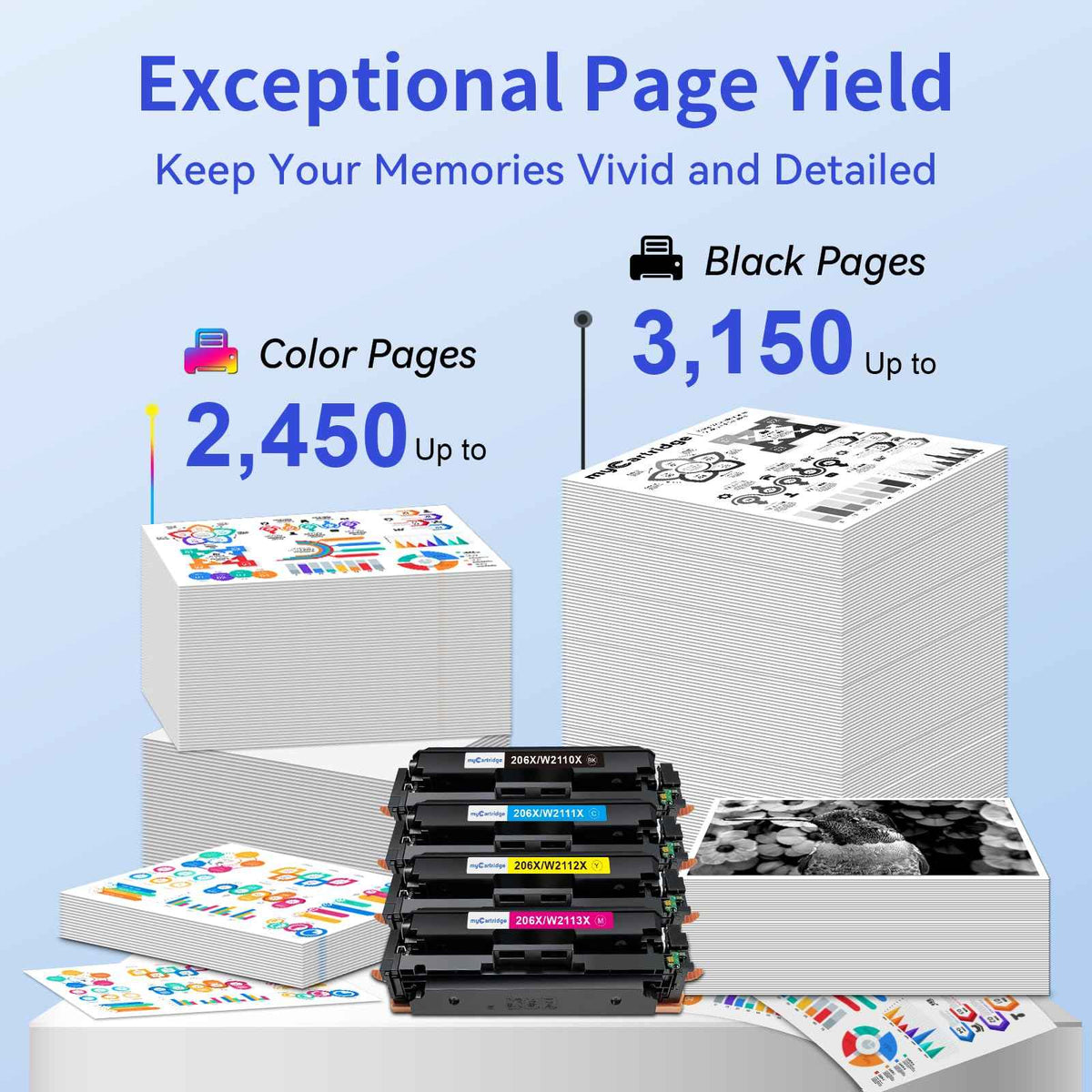
| 1 x HP 206X Black | W2110X | Black | ~3,150 pages |
| 1 x HP 206X Cyan | W2111X | Cyan | ~2,450 pages |
| 1 x HP 206X Magenta | W2113X | Magenta | ~2,450 pages |
| 1 x HP 206X Yellow | W2112X | Yellow | ~2,450 pages |
Estimated cost per listed page: Based on the current cart-discounted set price of $90.00 and the combined listed yield of 10,500 pages, this HP 206X 4-pack is estimated at about 0.86¢ per listed cartridge-page.
Page yield measured at 5% coverage per ISO testing standards (Letter/A4). Actual printing cost may vary by page coverage, color usage, document type, printer settings, and print frequency.
About the Smart Chip
Each cartridge comes with a pre-installed smart chip to help your compatible HP printer recognize the cartridge and display toner-level status. You do not need to remove or transfer the chip from your old cartridge. Learn how chip recognition, toner-level monitoring, and firmware updates work in our HP 206X Smart Chip & Firmware Guide.
No chip transfer needed. These cartridges are ready to use straight from the packaging.

HP 206A vs HP 206X: What's the Difference?
HP 206X fits the same printers as HP 206A but prints more pages. Choose 206X if you print often and want fewer cartridge changes and a lower cost per page.
| Feature | HP 206A (Standard Yield) | HP 206X (High Yield) |
|---|---|---|
| Black Page Yield | ~1,350 pages | ~3,150 pages |
| Color Page Yield (each) | ~1,250 pages | ~2,450 pages |
| Compatible Printers | Same HP M255 / M282 / M283 series | Same HP M255 / M282 / M283 series |
| Best For | Light to moderate printing | Frequent home office or business printing |
| Cost Per Page | Higher | Lower |
Not sure whether HP 206A or HP 206X is the better value? Read our HP 206X vs 206A comparison guide to compare page yield, replacement frequency, and cost-per-page value before choosing.
How to Install HP 206X Toner Cartridges
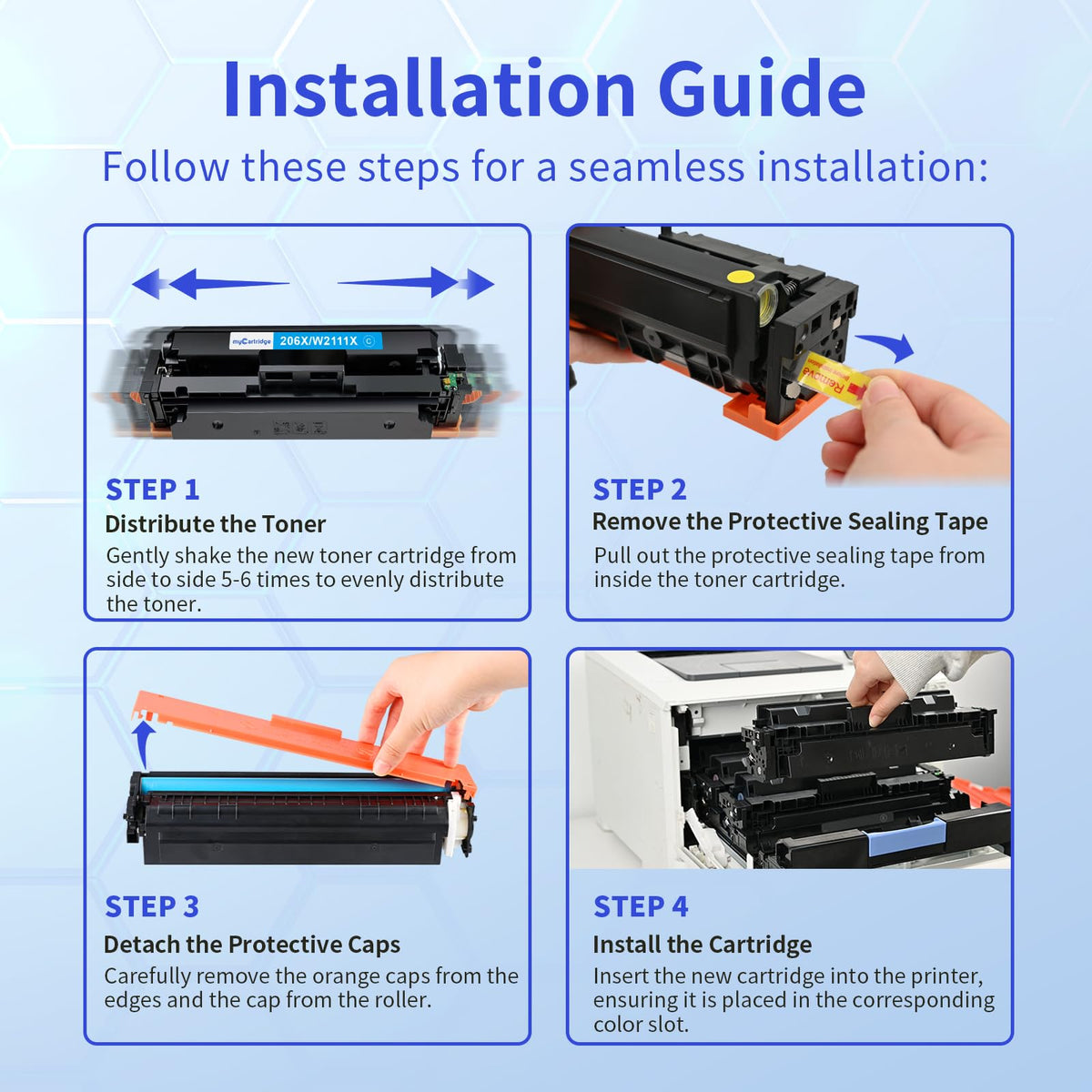
Watch the quick installation video, then follow the steps below to install your HP 206X cartridges.
- Open the printer front cover and pull out the toner drawer.
- Remove the old cartridge from the correct color slot.
- Unpack the new 206X cartridge and gently rock it side to side 5–6 times.
- Remove the protective seal completely.
- Insert the cartridge firmly until it clicks, then print a test page.

Need more detailed setup help? See our complete HP 206X Installation Guide for cartridge matching, protective-seal removal, correct color-slot installation, first-print checks, and common messages after installation.
How Does myCartridge HP 206X Print?
In internal myCartridge R&D lab testing, this HP 206X compatible toner set achieved approximately 99.82% print output similarity compared with OEM output.
For everyday office documents, reports, invoices, presentations, shipping labels, schoolwork, and home business printing, the difference is typically difficult to notice. Under controlled test conditions, professional lab equipment is usually required to detect measurable differences.
Testing data is from the myCartridge R&D lab. Actual print results may vary by printer condition, paper type, document coverage, print settings, and usage environment.
HP 206X Customer Reviews for myCartridge Toner Set
Rated 4.9 out of 5 based on 600+ customer reviews for the myCartridge HP 206X toner set.
Customers often mention easy installation, clear text and color output, reliable fit for HP Color LaserJet Pro M255 and MFP M282/M283 series printers, and the convenience of pre-installed smart chips in this non-OEM HP 206X toner set.
Want to compare review evidence before buying? See our Best HP 206X Toner Reviews for ratings, review counts, chip information, and buying considerations across compatible HP 206X options.
- Works with HP Color LaserJet Pro M255dw, M255nw, MFP M282nw, M283cdw, M283fdn, and M283fdw printers.
- Pre-installed smart chips help reduce setup steps compared with chipless toner cartridges.
- High-yield design: black up to 3,150 pages and cyan, magenta, yellow up to 2,450 pages each.
- A practical non-OEM option for home offices, schools, and everyday business printing.
Frequently Asked Questions
Quick answers about HP 206X compatibility, chip installation, page yield, printer recognition, firmware updates, and warranty support.
Does this pack include all four colors?
Yes. This 4-pack contains one each of HP 206X black (W2110X), cyan (W2111X), magenta (W2113X), and yellow (W2112X) — all with pre-installed chips.
Which printers does this HP 206X toner 4-pack fit?
This HP 206X 4-pack is designed for HP Color LaserJet Pro M255dw, M255nw, MFP M282nw, MFP M283cdw, MFP M283fdn, and MFP M283fdw printers. Please confirm your printer model before ordering.
What is the difference between HP 206A and HP 206X?
Both fit the same HP M255 / M282 / M283 series printers. HP 206A is standard yield, while HP 206X is high yield and prints more pages. If you print regularly, 206X usually means fewer cartridge changes and a lower cost per page. For a full side-by-side comparison, see our HP 206X vs 206A toner guide.
Do I need to transfer a chip from my old cartridge?
No. Each cartridge in this pack comes with a pre-installed smart chip. There is no chip transfer needed.
Why buy directly from myCartridge instead of a low-priced marketplace listing?
Marketplace listings can vary by seller, product version, and chip configuration. Some low-priced compatible HP toner cartridges may be sold as chipless versions, which means you may need to transfer the chip from your used original HP cartridge before the printer can recognize the replacement.
Chip transfer can be difficult because many original HP toner chips are tightly integrated into the cartridge housing. Removing the chip without damage is not always practical for everyday users.
myCartridge HP toner cartridges are designed with pre-installed smart chips, so you do not need to move chips from old cartridges. Buying directly through mycartridge.com also gives you the official website purchase protections: Lifetime Warranty, 365-Day Returns, full after-sales customer support, product quality assurance, pre-shipment firmware compatibility checks, and the latest available product version from our own supply chain.
What does “with chip” mean for HP 206X toner?
“With chip” means each cartridge includes a pre-installed smart chip to help support printer recognition and toner-level monitoring. This helps reduce the setup hassle often associated with chipless toner cartridges.
Will myCartridge HP 206X toner damage my printer?
No. myCartridge HP 206X compatible toner is designed for safe everyday use with compatible HP Color LaserJet Pro M255 and MFP M282/M283 series printers. When installed correctly, it will not damage your printer.
My HP printer shows a “non-HP cartridge” or supply alert. Is that normal?
Yes. HP printers may display this type of message when a compatible cartridge is installed. Press OK, Continue, or Use Anyway if prompted, then print a test page. The alert itself does not mean the cartridge cannot print.
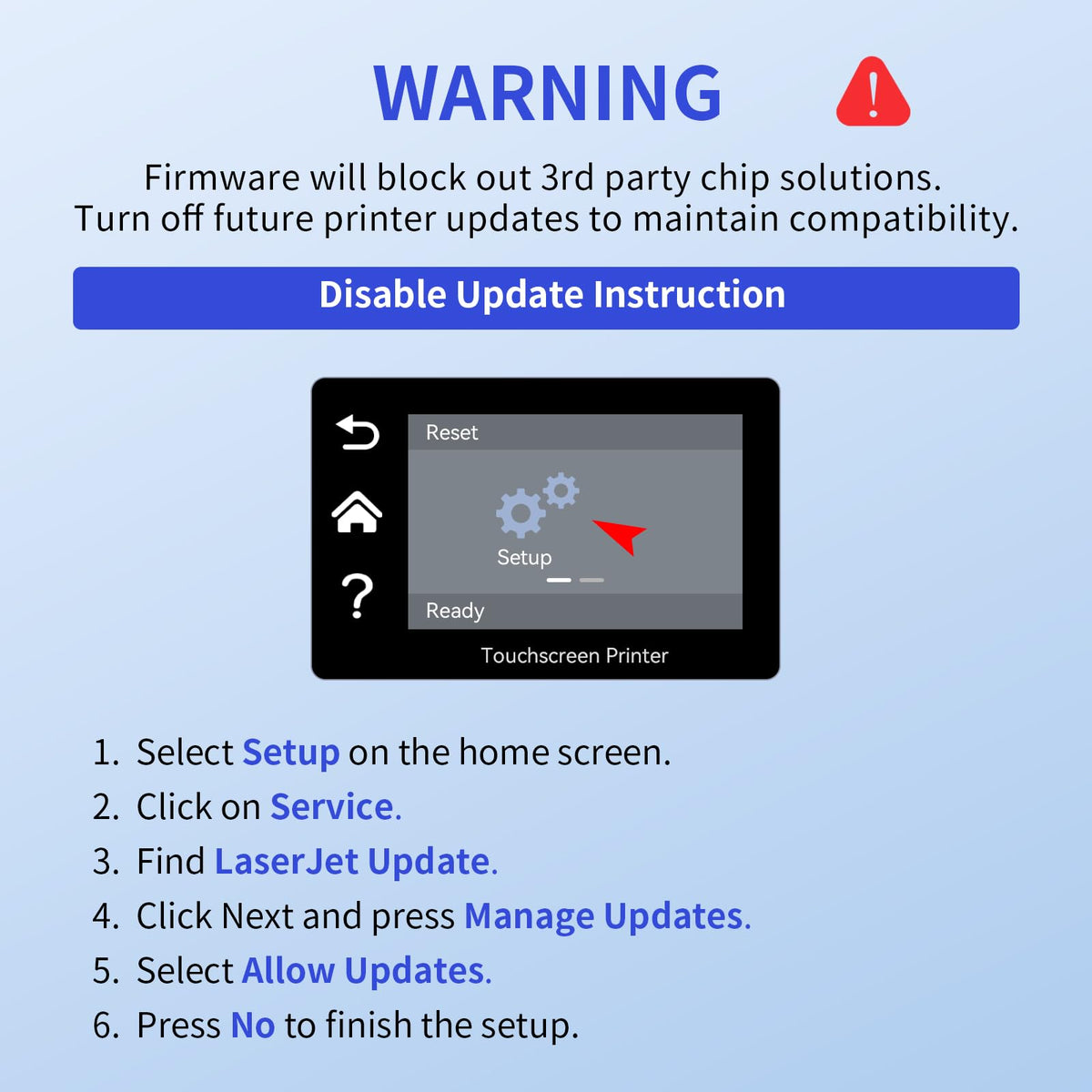
Can HP firmware updates affect compatible toner cartridges?
Firmware updates may affect how some HP printers recognize compatible cartridges. This myCartridge HP 206X toner is designed for the listed compatible printer models with smart chips installed. If you see a recognition issue, contact myCartridge support for help.
What should I do if the printer does not recognize the cartridge?
First confirm that your printer model is HP Color LaserJet Pro M255dw, M255nw, MFP M282nw, MFP M283cdw, MFP M283fdn, or MFP M283fdw. Then remove and reinstall the cartridge firmly into the correct color slot. If the issue continues and your order was placed directly through mycartridge.com, contact myCartridge support for troubleshooting, replacement, return, exchange, or refund help under the applicable official website policy.
How does myCartridge HP 206X print compared with original HP toner?
Based on internal myCartridge R&D lab testing, this HP 206X compatible toner set achieved approximately 99.82% print output similarity compared with OEM output. It is designed for sharp text, clean color output, and consistent everyday printing.
For most home office and business documents, the difference is typically difficult to notice; under controlled test conditions, professional lab equipment is usually required to detect measurable differences. Actual results may vary by printer condition, paper type, document coverage, print settings, and usage environment.
What should I do if the print is light, streaky, or uneven?
Remove the cartridge, gently rock it side to side 5–6 times to redistribute toner, reinstall it, and print a test page. Also confirm that all protective seals and pull tabs have been fully removed.
Will using compatible cartridges void my HP printer warranty?
No. Under the Magnuson-Moss Warranty Act, a printer warranty cannot be voided solely because you used a compatible toner cartridge. If a printer issue occurs, the cause of the issue must be evaluated separately.
Is this HP 206X toner compatible with HP 202X, 210X, 218X, or 414X printers?
No. HP 206X, HP 202X, HP 210X, HP 218X, and HP 414X are different toner families for different HP printer models. If your current cartridge starts with CF500X, W2100X, W2180X, or W2020X, do not order HP 206X.
Why buy HP 206X toner from myCartridge instead of a cheap chipless listing?
myCartridge focuses on with-chip compatible HP toner, clear printer model matching, OEM number guidance, no old-chip transfer, and U.S. shipping. When you purchase directly through mycartridge.com, qualifying orders also receive Lifetime Warranty, 365-Day Returns, full after-sales customer support, product quality assurance and pre-shipment firmware compatibility checks. The goal is not just to save money, but to reduce setup risk when replacing HP color toner.
What purchase protection do I get when I buy this HP 206X toner directly from mycartridge.com?
Orders placed directly through mycartridge.com, the official myCartridge website, qualify for Lifetime Warranty, 365-Day Returns, full after-sales customer support, product quality assurance and pre-shipment firmware compatibility checks.
See our Returns, Exchanges & Lifetime Warranty policy for full terms.
Are myCartridge HP 206X products bought from marketplaces, resellers or other channels covered by these protections?
No. myCartridge products purchased through third-party marketplaces, resellers, liquidation channels, secondary markets or any other source outside mycartridge.com—whether sold as new or used—are not eligible for the official website Lifetime Warranty, 365-Day Returns, full after-sales support, product quality assurance or pre-shipment firmware compatibility checks. Those purchases are subject to the policies of the respective seller or platform.
Can myCartridge guarantee compatibility or normal operation for HP 206X products purchased through other channels?
No. Because myCartridge cannot verify the source, authenticity, storage conditions, handling, prior use, chip version, firmware compatibility status or current condition of products purchased outside mycartridge.com, we cannot guarantee their printer compatibility, cartridge recognition, normal operation, print quality, product performance or reliability.
Where can I learn more about HP 206X cartridge numbers?
Read our HP 206X cartridge numbers guide to understand W2110X, W2111X, W2112X, and W2113X, or visit our HP color toner with chip FAQ for chip, recognition, and compatibility questions.
Official website purchase protections—including Lifetime Warranty, 365-Day Returns, full after-sales support, product quality assurance and pre-shipment firmware compatibility checks—apply only to orders placed directly through mycartridge.com. New or used myCartridge products purchased through other channels do not qualify for these protections or services. Because myCartridge cannot verify the source, authenticity, storage conditions, handling, prior use, chip version, firmware compatibility status or current condition of products purchased through other channels, myCartridge cannot guarantee their printer compatibility, cartridge recognition, normal operation, print quality, product performance or reliability. myCartridge is an independent supplier of compatible printer cartridges. HP, 206A, 206X, W2110X, W2111X, W2112X, W2113X, Color LaserJet Pro, and related model names are trademarks of HP Inc., referenced here for compatibility purposes only.
A Long-Term Solution, Not Just a One-Time Deal.
High printing costs shouldn't be a recurring burden. At myCartridge, we're here to help families, home offices, schools, and small businesses print affordably over the long run—with reliable compatible ink and toner cartridges, Lifetime Warranty support, and 365-Day Returns. These photos feature real customers behind that mission. Share your honest experience or setup photo with us—with your permission, your story may be featured here.


