





Payment & Security
Your payment information is processed securely. We do not store credit card details nor have access to your credit card information.
Payment & Security
Your payment information is processed securely. We do not store credit card details nor have access to your credit card information.
Description
HP 148X Toner for HP LaserJet Pro 4001 & MFP 4101 Series
Confirm your exact printer model before ordering.
Quick check: This set includes 2 × HP 148X / W1480X black toner cartridges with pre-installed smart chips. Each cartridge is rated for up to 9,500 pages, for up to 19,000 listed black pages total across the 2-pack.
HP 148X Toner Cartridges 2-Pack With Chip
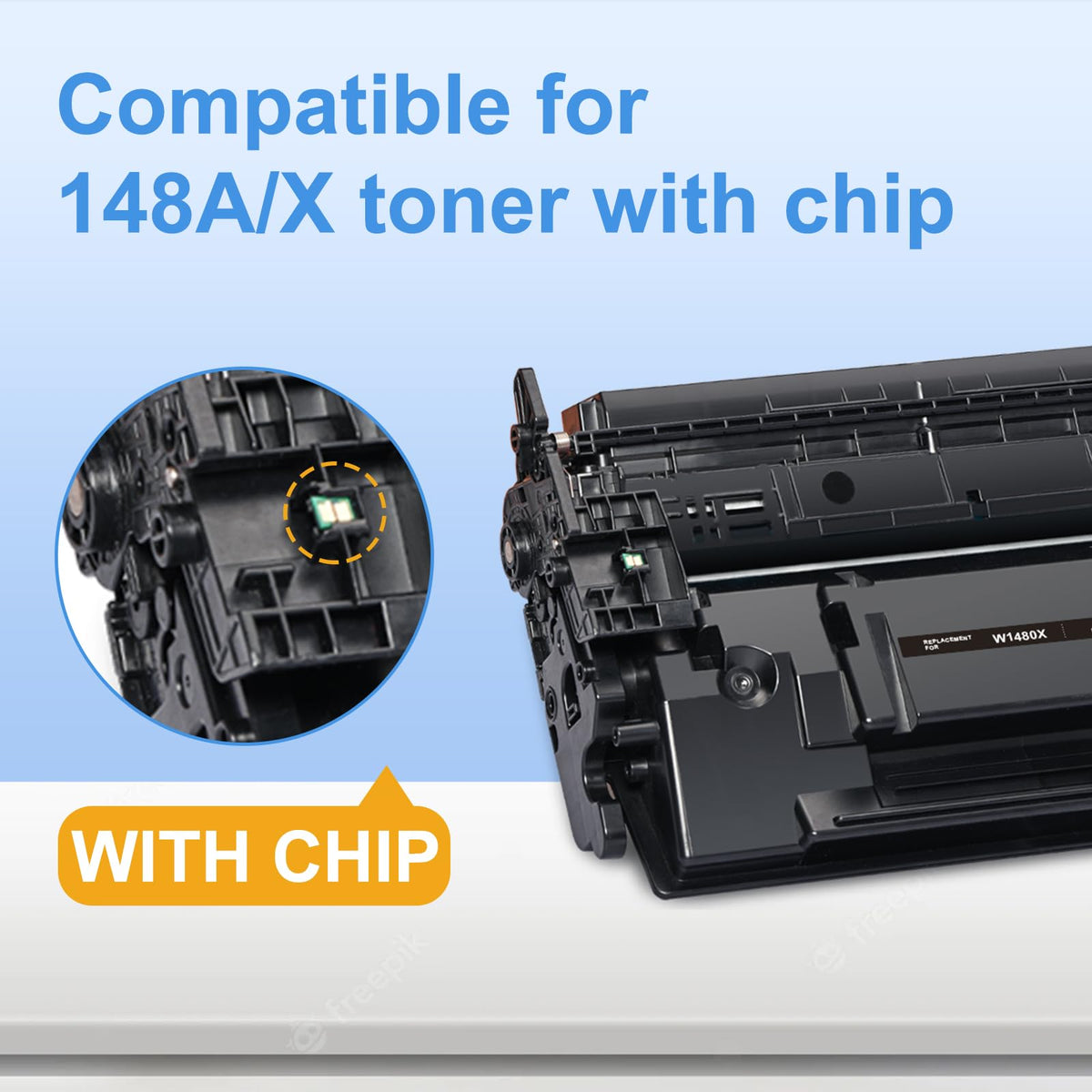
This myCartridge HP 148X toner 2-pack includes two compatible W1480X high-yield black cartridges for selected HP LaserJet Pro 4001 and HP LaserJet Pro MFP 4101 series printers. Each cartridge comes with a pre-installed smart chip, so no chip transfer from your used cartridge is required.
Made for high-volume monochrome printing, this 2-pack is designed for invoices, reports, forms, contracts, shipping labels, packing slips, school materials, and everyday office documents. Each cartridge prints up to 9,500 pages, giving the box up to 19,000 listed black pages in total.

Choosing HP 148X toner should be simple. This 2-pack is designed to reduce the common hassles of chip transfer, printer recognition, cartridge-status tracking, frequent replacements, and after-sales support.
HP 148X buying concerns answered
Common HP 148X Buying Concerns, Solved
Printer recognition: Each myCartridge HP 148X compatible toner cartridge includes a pre-installed smart chip to support smoother recognition with compatible HP LaserJet Pro 4001 and MFP 4101 printers.
No chip transfer: You do not need to remove or transfer the chip from your old toner cartridge. Both W1480X cartridges are ready to install out of the box.
High-yield printing: HP 148X is the high-yield alternative to HP 148A. Each 148X cartridge is rated for up to 9,500 pages, helping reduce replacement frequency in higher-volume offices.
2-pack supply planning: The box includes two black cartridges, providing up to 19,000 listed black pages total across the pair. This is useful for offices that want a backup cartridge available before the first cartridge runs out.
Black document printing: HP 148X is designed for monochrome printing such as reports, invoices, shipping documents, forms, contracts, labels, and everyday office paperwork.
Support after purchase: myCartridge provides Lifetime Warranty support and eligible return or replacement assistance if you experience a product or recognition issue.
Best for: HP LaserJet Pro 4001 / MFP 4101 users who print black documents regularly and want two high-yield cartridges, pre-installed chips, no chip transfer, toner-status support, and fewer cartridge changes.
myCartridge HP 148X vs. Other Options
Page yield may look similar, but the setup, day-to-day experience, warranty, and support can be very different.
| What Matters | myCartridge HP 148X Ready to Install | Original HP 148X | Other Third-Party HP 148X |
|---|---|---|---|
| Smart Chip Included | Yes — pre-installed | Yes — original HP chip | Most are sold without chips. Some brands may ship either a chip or no-chip version depending on available stock. |
| Chip Transfer | No transfer needed | No transfer needed | No-chip versions require you to move the original HP chip yourself. The chip can be damaged during removal if you do not have the right tools or experience. |
| Toner-Level Display | Supported | Supported | Most do not show the toner level correctly. |
| Recognition Check Before Shipping | Yes — checked before shipment | Native OEM recognition | Not offered. |
| Warranty | Lifetime Warranty | Limited Warranty | Limited warranty. |
| Customer Reviews | ★★★★★ 4.8/5 · 144 Reviews | Large number of customer reviews | Usually very few customer reviews, so the rating can be hard to judge. |
myCartridge is built for buyers who want the chip already installed, toner-level display support, a recognition check before shipping, and Lifetime Warranty support.
Experienced DIY users who already know how to remove and transfer an original HP chip safely and have the proper tools for the job.
What's in the Box
| Included Cartridge | OEM Reference | Color | Page Yield |
|---|---|---|---|
| 2 × HP 148X Black Toner Cartridges | W1480X | Black | Up to 9,500 pages each |
| Total 2-Pack Listed Yield | 2 × W1480X | Black | Up to 19,000 pages total |
2-pack yield: Each HP 148X cartridge is rated for up to 9,500 pages. With two cartridges in the box, the set provides up to 19,000 listed black pages total. Actual yield varies with page coverage, print density, printer settings, document type, and operating conditions.
Page-yield figures are reference values under standard testing conditions. Actual results can vary significantly by use.
About the Smart Chip
Each cartridge in this HP 148X 2-pack includes a pre-installed smart chip to support printer recognition and toner-status communication on compatible HP LaserJet Pro printers.
No chip transfer needed. Both cartridges are ready to install straight from the packaging.

HP 148A vs HP 148X: What's the Difference?
HP 148A and HP 148X are standard-yield and high-yield options for the same compatible printer family. Choose 148X if you print regularly and want fewer cartridge replacements.
| Feature | HP 148A / W1480A | HP 148X / W1480X |
|---|---|---|
| Capacity Type | Standard yield | High yield |
| Black Page Yield | Up to about 3,000 pages | Up to 9,500 pages |
| Compatible Printers | Same compatible HP 4001 / 4101 family | Same compatible HP 4001 / 4101 family |
| Best For | Light or occasional printing | Regular office and higher-volume black printing |
| Replacement Frequency | More frequent | Less frequent |
For this product: the 2-pack contains two HP 148X high-yield cartridges, giving you one cartridge to install now and a second cartridge ready for future replacement.
How to Install HP 148X Toner Cartridges
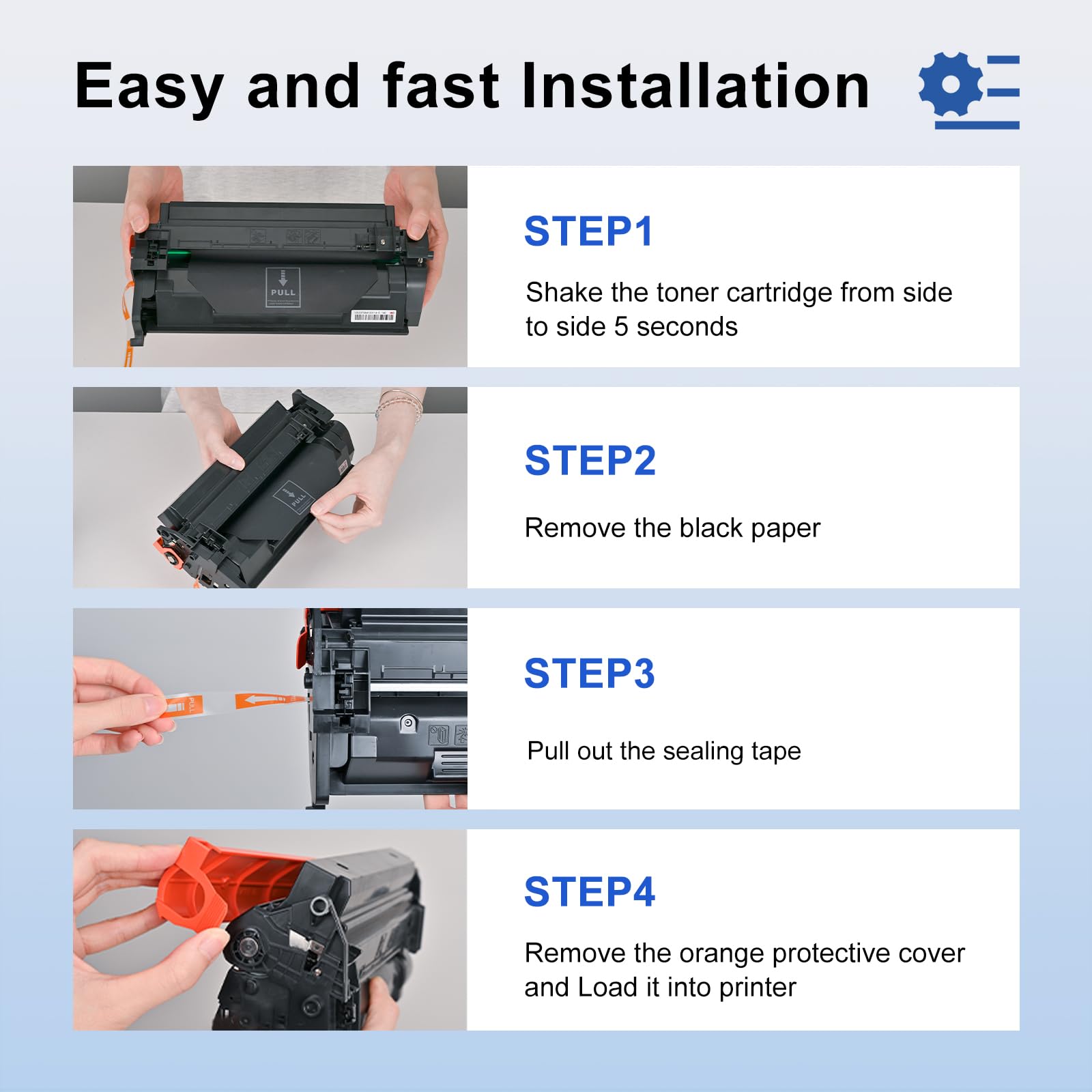
Follow these steps to install either cartridge from the HP 148X 2-pack.
- Make sure the HP LaserJet Pro printer is idle, then open the toner access door.
- Pull the used toner cartridge straight out of the printer.
- Remove one new HP 148X cartridge from the packaging.
- Gently rock the cartridge side to side several times to distribute toner evenly.
- Remove all protective seals, clips, tape, orange parts, and transport materials.
- Avoid touching the smart-chip contacts or sensitive imaging surfaces.
- Insert the new cartridge firmly until it is seated correctly.
- Close the printer cover and allow the printer to initialize the cartridge.
- Print a test page to confirm recognition and print output.
How Does myCartridge HP 148X Print?
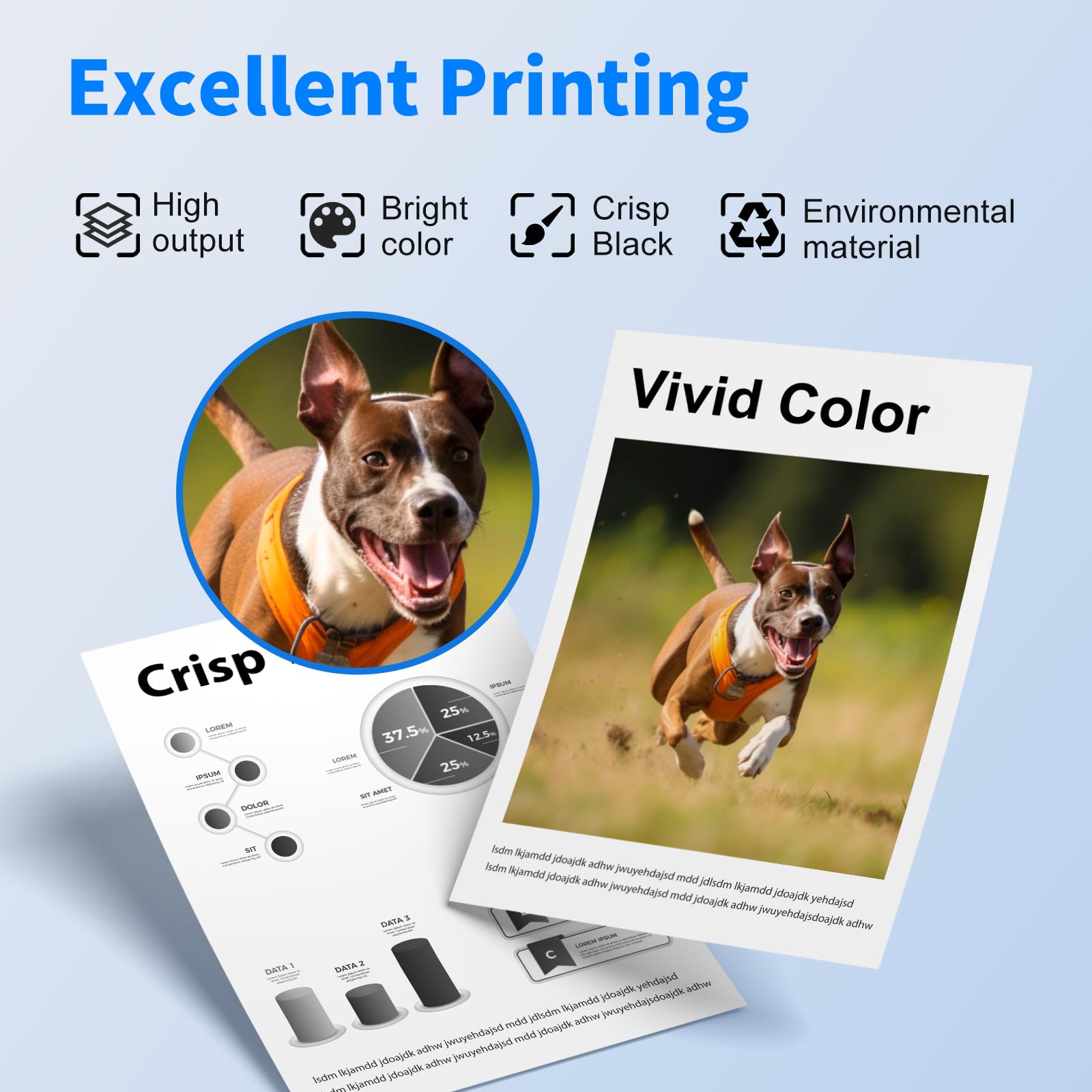
This HP 148X compatible toner is designed for sharp black text and consistent monochrome output across invoices, reports, contracts, forms, shipping labels, packing slips, school materials, and everyday office documents.
Actual output can vary with printer condition, paper type, print density, page coverage, printer settings, document type, and the operating environment.
HP 148X Customer Reviews for myCartridge Toner 2-Pack
This product has 144 customer reviews on the current myCartridge product listing. The 2-pack is designed for buyers who want high-yield black toner, pre-installed chips, and an extra replacement cartridge available when needed.
- Two HP 148X / W1480X black cartridges in one box.
- Up to 9,500 pages per cartridge and up to 19,000 listed pages total.
- Pre-installed chips reduce setup steps compared with no-chip cartridges.
- Designed for compatible HP LaserJet Pro 4001 and MFP 4101 models listed on this page.
Frequently Asked Questions
Quick answers about HP 148X compatibility, W1480X, 2-pack yield, chip installation, toner status, firmware, and warranty support.
How many cartridges are included in this HP 148X pack?
This product includes two compatible HP 148X / W1480X high-yield black toner cartridges.
How many pages does the HP 148X 2-pack print?
Each HP 148X cartridge is rated for up to 9,500 pages, so the two cartridges provide up to 19,000 listed black pages total. Actual yield varies with print coverage, settings, document type, and printer conditions.
Which printers does this HP 148X toner 2-pack fit?
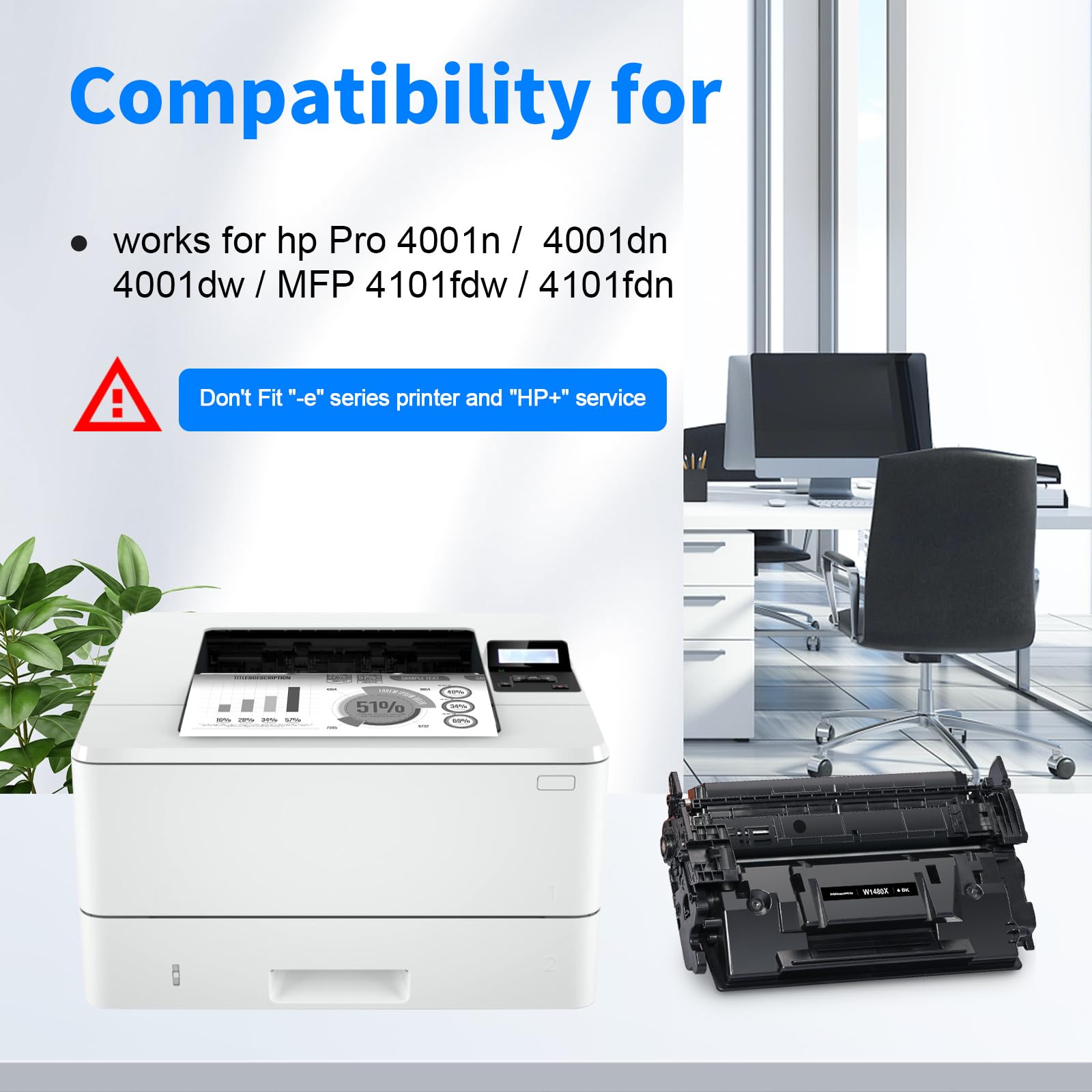
This product is designed for HP LaserJet Pro 4001dw, 4001dn, 4001n, HP LaserJet Pro MFP 4101fdw, and 4101fdn printers that use HP 148A / 148X toner.
Will HP 148X work with HP+ or e-suffix printer models?
If your printer model ends with “e” or is enrolled in HP+, confirm compatibility before ordering. Some HP+ configurations may require Original HP cartridges.
What is the difference between HP 148A and HP 148X?
HP 148A is the standard-yield option at about 3,000 pages, while HP 148X is the high-yield option at up to 9,500 pages per cartridge. Both are used within the same compatible HP 4001 / 4101 printer family.
Does this HP 148X 2-pack come with chips?
Yes. Both compatible HP 148X cartridges include pre-installed smart chips to support printer recognition and toner-status communication.
Do I need to transfer a chip from my old HP cartridge?
No. Each cartridge has its own pre-installed smart chip, so no old-chip transfer is required.
My printer shows a non-HP or non-original supply message. Is that normal?
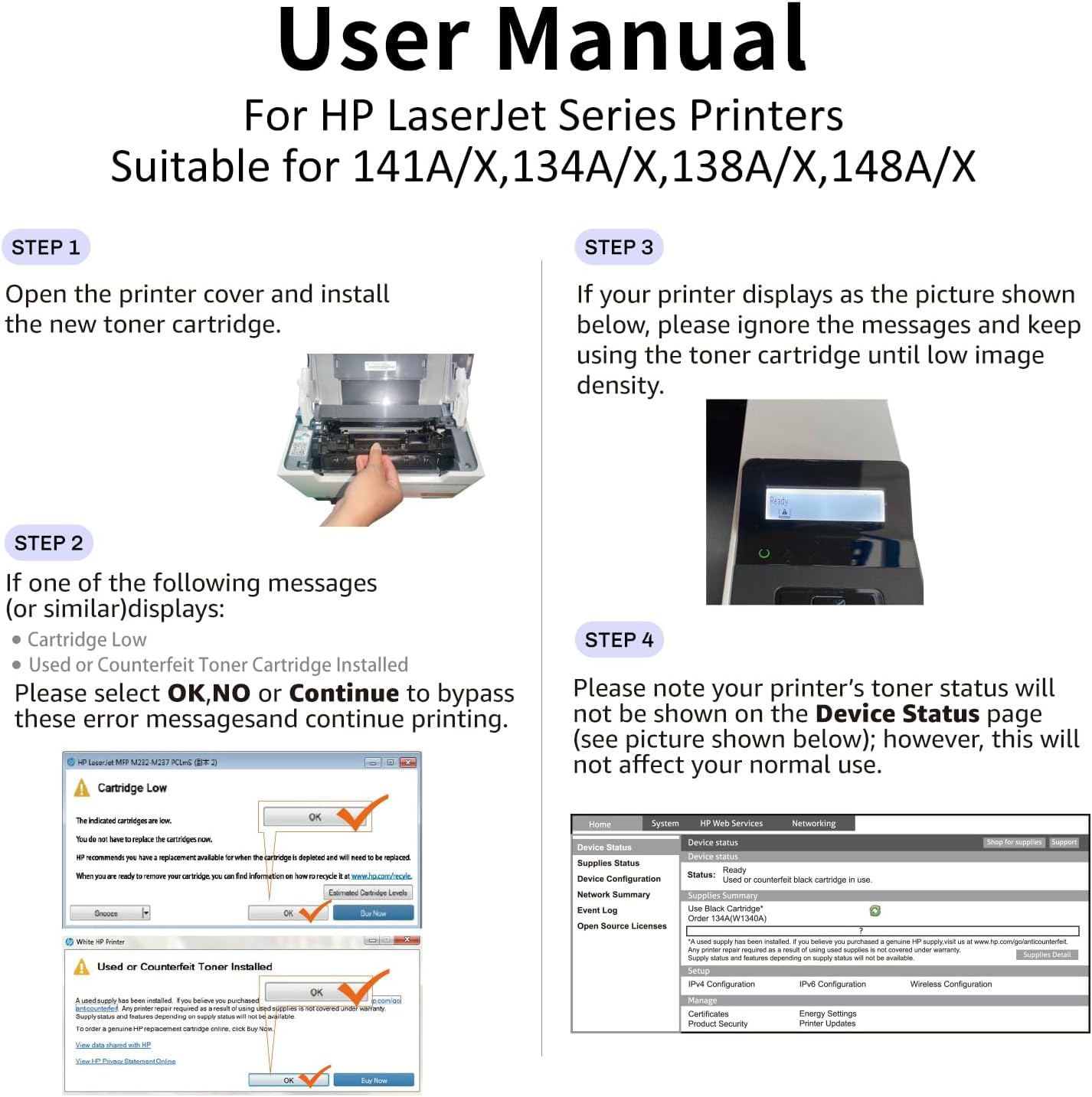
A compatible cartridge may trigger a non-HP or non-original supply notification. Follow the supported printer prompt when continuation is available. The message alone does not necessarily mean the cartridge cannot print.
Can HP firmware updates affect compatible HP 148X toner?
Firmware changes can affect how some HP printers communicate with compatible cartridge chips. myCartridge uses current pre-installed chip versions for the supported printer family. If recognition changes after a firmware update, contact myCartridge support.
What should I do if the printer does not recognize the cartridge?
First confirm that the printer is one of the compatible HP 4001 / 4101 models listed on this page. Remove all protective materials, reinstall the cartridge firmly, restart the printer if needed, and contact support if recognition does not recover.
What should I do if printed pages are light or faded?
Remove the cartridge, gently rock it side to side several times, confirm all protective materials have been removed, reinstall it firmly, and print another test page.
Is HP 148X toner ink or toner?
HP 148X is black toner for monochrome HP LaserJet Pro printers. It is not ink and is not intended for inkjet printers.
Is HP 148X compatible with HP 58X, 89X, 414X, 210X, or 218X printers?
No. HP 148X is a separate toner family. Match the printer model and cartridge reference before ordering.
myCartridge is an independent supplier of compatible toner cartridges. HP, HP 148A, HP 148X, W1480A, W1480X, LaserJet Pro, LaserJet Pro 4001dw, LaserJet Pro 4001dn, LaserJet Pro 4001n, LaserJet Pro MFP 4101fdw, LaserJet Pro MFP 4101fdn, and related printer or cartridge model names are trademarks or model references of HP Inc. and are used here only to describe printer and cartridge compatibility. This product is not manufactured, sponsored, or endorsed by HP Inc.
A Long-Term Solution, Not Just a One-Time Deal.
High printing costs shouldn't be a recurring burden. At myCartridge, we're here to help families, home offices, schools, and small businesses print affordably over the long run—with reliable compatible ink and toner cartridges, Lifetime Warranty support, and 365-Day Returns. These photos feature real customers behind that mission. Share your honest experience or setup photo with us—with your permission, your story may be featured here.


