



Payment & Security
Your payment information is processed securely. We do not store credit card details nor have access to your credit card information.
Description
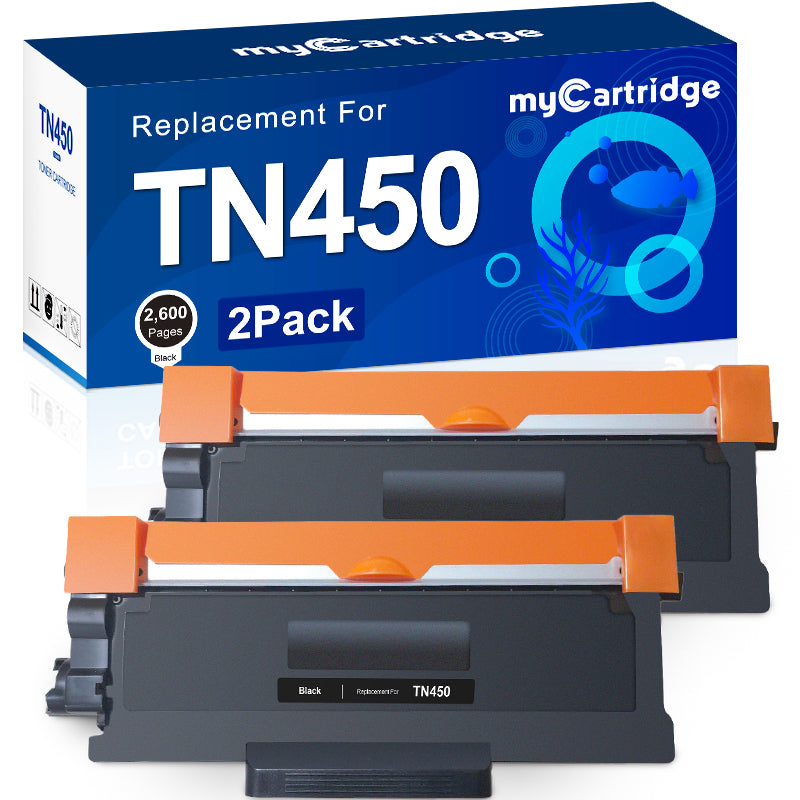
Compatible Brother TN450 Toner Cartridge (2 Black) – High Yield Replacement
Product overview
The compatible Brother TN450 high yield black toner cartridge 2-pack is designed for home offices and small businesses that need clear, reliable documents at an affordable cost. Each TN450 cartridge works with a wide range of Brother HL, DCP, MFC and Intellifax printers, helping you keep printing without frequent replacements.
Brand & model
- Model: Compatible TN450 toner cartridge replacement for Brother TN450 / TN-450 / TN420
- Color: Black
- Type: High yield
- Pack size: 2-pack
Package contents
- 2 × compatible Brother TN450 high yield black toner cartridges
Compatible Brother printers
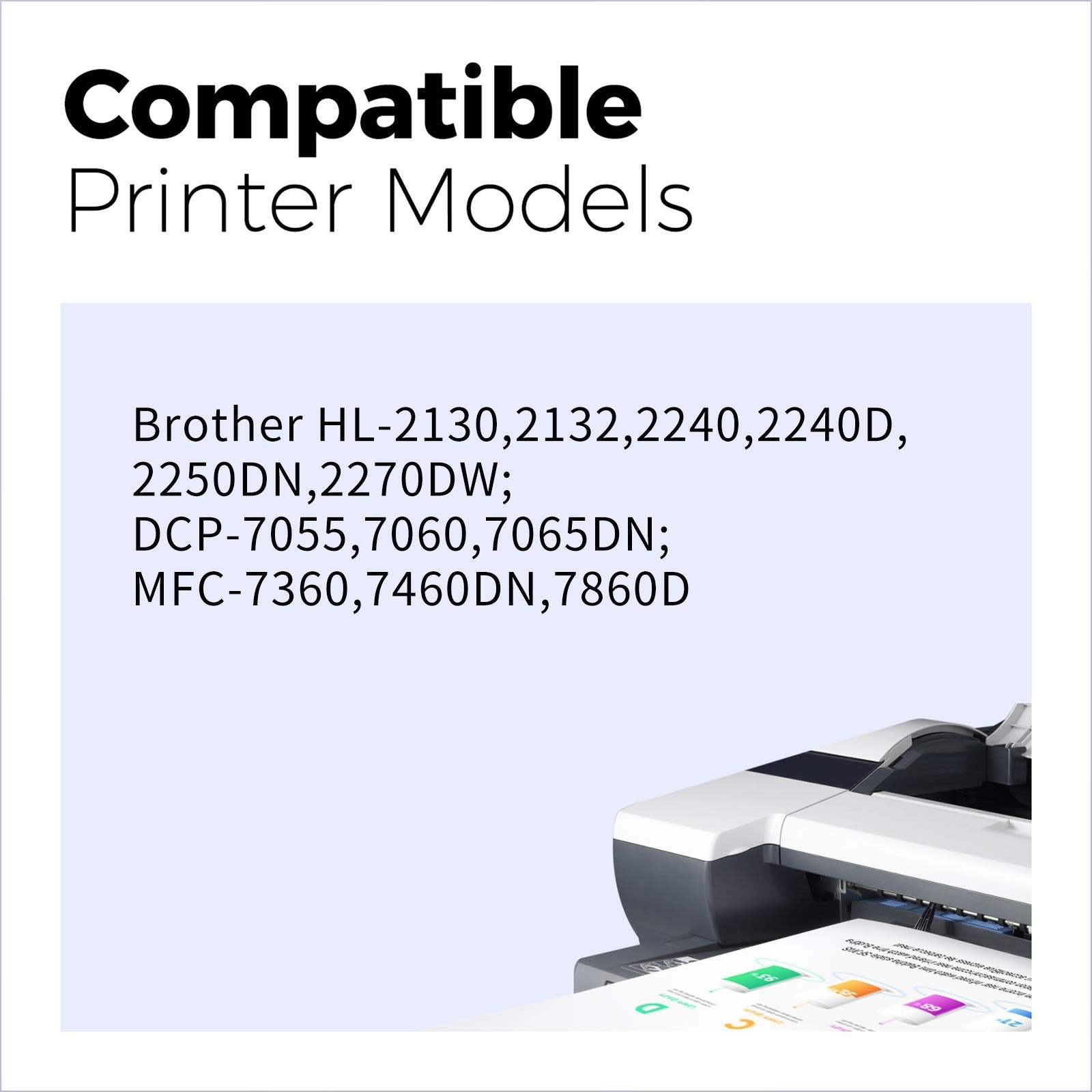
These TN450 compatible toner cartridges are designed to work with the following Brother printers. Please confirm your printer model before placing your order.
| Brother Intellifax series: | ||
| Intellifax 2840 | Intellifax 2940 | |
| Brother DCP series: | ||
| DCP-7060D | DCP-7065D | |
| Brother MFC series: | ||
| MFC-7240 | MFC-7360N | MFC-7460DN |
| MFC-7365DN | MFC-7860DW | |
| Brother HL series: | ||
| HL-2130 | HL-2132 | HL-2220 |
| HL-2230 | HL-2240 | HL-2240D |
| HL-2242D | HL-2250DN | HL-2270DW |
| HL-2275DW | HL-2280DW |
Page yield & cost efficiency
- Page yield: Up to 2,600 pages per TN450 black toner cartridge (A4/Letter, at 5% coverage)
- Total yield (2-pack): Up to 5,200 pages at 5% coverage
- Suitable for everyday office documents, homework, invoices and reports
- Helps reduce cost per page compared with many original cartridges
Print quality & reliability
- Produces sharp, dark black text and clear line detail for professional-looking documents
- Stable toner formulation helps reduce smudging, streaking and fading under normal conditions
- Consistent print performance from the first page to the last page of each cartridge
Installation instructions
Follow these steps to install your compatible Brother TN450 toner cartridge:
- Shake the cartridge: Gently shake the toner cartridge horizontally 5–6 times to distribute the toner evenly inside.
- Remove protective parts: Take off the protective cap and any sealing tape from the toner cartridge.
- Install into the drum: Insert the toner cartridge firmly into the drum unit until it clicks into place.
- Insert into the printer: Place the drum unit with the new toner back into the printer and close the front cover.
- Test print: Print a test page to confirm correct installation and check print quality.
Why choose a compatible TN450 toner cartridge?
- High yield design reduces how often you need to replace toner, saving time in busy environments
- Wide compatibility with popular Brother HL, DCP, MFC and Intellifax models
- Balanced combination of print quality, page yield and price for cost-conscious users
Helpful tips
- Before ordering, double-check your printer model and the original toner code (TN450 / TN420).
- Store unopened toner cartridges in a cool, dry place away from direct sunlight.
- If printed pages appear light, remove the cartridge, gently rock it side to side to redistribute toner, then reinstall and test again.